Unlocked Android Phones: The Complete Buying Guide
Choose unlocked phones for the freedom to buy your phone and service separately. Confirm the exact model works with your carrier, then choose the SIM setup, storage and features you’ll use.
On this page (9 sections)
- What does unlocked mean for an Android phone?
- How is an unlocked phone different from a locked phone?
- What should you check before buying unlocked phones?
- Which unlocked Android phones are worth comparing?
- Which phone features should decide your purchase?
- How do you activate an unlocked Android phone?
- What care habits help an unlocked phone last?
- Which mistakes cause the most trouble with unlocked phones?
- How should you make your final unlocked phone choice?
Unlocked phones let you buy a phone separately from your carrier and plan, provided the exact model works on your chosen network. Start with that match, then compare the features that will matter in daily use.
For these four Android options, the choice comes down to different priorities: Google’s camera and AI tools, a built-in stylus, a large entertainment screen, or Samsung’s stated software support.
This guide covers those choices, the checks to make before ordering, and the steps to take when your phone arrives. For a shorter explanation of the term, start with what an unlocked phone means.
What does unlocked mean for an Android phone?
An unlocked Android phone can accept service from compatible carriers, rather than being restricted to the carrier that sold it. You still need an active plan, an accepted device and the right SIM setup.
Think of carrier lock status as permission to change providers. Network compatibility is a separate question about whether that provider can support the phone.
A phone can pass one check and fail the other. For example, an unlocked model intended for another market might lack the network support or carrier approval needed for your US plan.
Unlocked status also says nothing about storage, camera quality or software support. Those are separate buying decisions, so choose the network fit first and the phone features second.
If your current device still meets your needs, check it before replacing it. Our guide on how to check if your phone is unlocked explains where to start.
Do unlocked phones include a plan?
Unlocked phones generally let you arrange service separately from the device. Buying the hardware does not by itself provide a phone number, mobile data or a monthly allowance.
That separation is useful if you already like your plan. Ask your provider whether you can move your existing service to the new phone without changing plans or losing any account benefits.
For a second phone, decide whether it needs its own number and cellular service. A phone used mainly over home Wi-Fi serves a different purpose from one needed for calls away from home.
How is an unlocked phone different from a locked phone?
An unlocked phone offers more freedom to change compatible carriers, while a locked phone restricts that move until the carrier’s requirements are met. Neither option guarantees better coverage where you live.
| Buying point | Unlocked phone | Locked phone |
|---|---|---|
| Carrier choice | Can work with compatible providers | Restricted until eligible and released by the carrier |
| Plan shopping | Device and service can be chosen separately | Device terms may be tied to a particular plan |
| Switching later | Requires checking the next carrier’s support | May also require meeting lock and payment conditions |
| Setup help | Check who handles device and activation questions | Carrier may provide both, depending on its policies |
| Payment terms | Depend on how you buy the device | May include financing or conditional credits |
Buying through a carrier can be convenient if you want help with both the device and service. Read the terms closely, especially when a device offer depends on keeping a particular plan.
Compare the total commitment over the period you expect to keep the phone. Include service charges, device payments, activation charges and any credits that stop if you leave early.
An unlocked phone is especially useful if you regularly compare providers or expect to change plans. It offers flexibility, but switching still takes a compatibility check and an activation step.
Read unlocked vs locked phones if the payment and carrier terms are your main concern.
What should you check before buying unlocked phones?
Check the exact model, carrier acceptance, SIM method, condition and return terms before ordering. These checks matter more than a broad claim that a phone works with major networks.
Does the unlocked phone support your carrier?
Use the carrier’s compatibility checker for the exact device whenever possible. An IMEI, the identifier for an individual phone, can help the carrier determine whether it accepts that device.
If you cannot get the IMEI before buying, ask about the precise model number and regional version. Keep the answer so you can refer to it if activation causes trouble.
Check the actual provider you will use, even if it runs on a larger carrier’s network. Its accepted devices, eSIM process and supported features may differ.
Ask separately about features you rely on, including Wi-Fi calling, hotspot use and visual voicemail. Basic activation does not necessarily settle every service feature.
Coverage matters just as much as compatibility. A phone accepted by a carrier can still get a weak signal in your home, workplace or regular travel area.
For network-specific guidance, see whether an unlocked phone works with Verizon, using an unlocked phone on T-Mobile, and whether unlocked phones work with AT&T.
Does it use a SIM card, eSIM, or both?
Choose a SIM method that both the device and your provider support. A physical SIM is a removable card, while an eSIM is activated digitally on a supported phone.
A physical SIM may be convenient if your carrier allows you to move it between accepted devices. An eSIM avoids handling a small card, but moving service may require the provider’s app or account process.
Dual SIM can help keep work and personal numbers on one phone. Before relying on it, confirm the supported combination and whether both services can remain available as you need.
Do not assume every phone in the same brand uses the same setup. Read whether unlocked phones use a SIM card or eSIM if you are choosing between activation methods.
Is the phone new, used, or refurbished?
For a used or refurbished phone, check activation eligibility and account removal, as well as physical condition. A working screen does not prove that you can activate or finish setting up the device.
Ask whether the phone has been reported lost or stolen, has unresolved financing, or is blocked from service. Confirm that the previous owner’s account protection has been properly removed.
Review the stated battery condition and what the condition grade covers. Scratches may be acceptable on a spare phone, while a worn battery can be a poor fit for a daily device.
Keep enough time in the return window to activate it and check essential functions. Do not leave a replacement phone unopened until the day your old one fails.
Are the seller and regional version right for you?
Choose the regional version your carrier accepts, with clear return and warranty terms. Similar product names can cover different hardware versions.
An international version may differ in network support, activation options, included accessories or warranty coverage. A familiar brand name does not resolve those differences.
Compare US and international version phones before choosing an imported model. Confirm who will handle a return if the phone cannot be activated.
Which unlocked Android phones are worth comparing?
Shortlist these phones by the task that matters most to you, after confirming carrier support. NeighborlyNod’s recommendations below focus on their stated features and the buyers those features serve.
Google Pixel 10a: for everyday photos and Google tools
Choose Pixel 10a if you want Google’s photo and assistant tools in an everyday phone. Camera Coach and Gemini are the main reasons to put it ahead of a phone chosen chiefly for a stylus or storage expansion.
Its OLED Actua display reaches 3,000 nits peak brightness, which is relevant if you often read directions or messages outdoors. Peak brightness is a maximum for certain conditions, not a promise that the whole screen stays that bright continuously.
Google gives the phone scratch-resistant Gorilla Glass 7i and an IP68 water and dust protection rating. Those features suit daily use around dust and accidental water exposure, though they do not replace a case or careful handling.
Google claims more than 30 hours of battery life from a full charge. Your signal, brightness, camera use and other settings will affect how long a charge lasts.
This version has 128GB of storage, plus wired fast-charging support and wireless charging. Choose it if that storage allowance fits your apps and local files; check your current usage before moving over.
Skip it if a built-in pen is central to your work, or if you specifically want one of the confirmed memory-card options below. If you are torn between Google’s approach and Samsung’s, our Pixel vs Samsung comparison helps frame that choice.
Moto G Stylus 2024: for notes, sketches and pen input
Choose Moto G Stylus 2024 if you have a regular use for a pen stored inside the phone. Handwritten shopping lists, quick diagrams and marks on photos are stronger reasons to buy it than occasional curiosity about a stylus.
Its 6.7-inch pOLED display provides space for writing and viewing content. Dolby Atmos sound and stereo speakers also make it worth considering if the same phone handles notes during the day and video in the evening.
The 50MP camera includes optical image stabilization, which helps reduce blur from small hand movements. It cannot freeze a moving child or pet by itself, so it is not a guarantee of sharp photos in every scene.
Motorola pairs a 5,000mAh battery with 30W TurboPower charging and claims over a day of use. Wireless charging is also supported, giving you another way to top it up at a desk.
This version has 128GB storage and 8GB RAM, with expandable memory and a 3.5mm headphone jack. RAM Boost uses some internal storage as virtual memory; it should not be counted as extra physical RAM.
Skip it if you normally type every note and are unlikely to use the pen. The other phones offer clearer reasons to choose them if your priority is software support, outdoor screen visibility or a larger entertainment display.
Moto G Power 2025: for a large screen and offline media
Choose Moto G Power 2025 if you want a large display, expandable storage and flexible charging. It suits someone who saves music, downloads shows or keeps a sizable photo collection on the device.
The 6.8-inch screen supports a refresh rate up to 120Hz. That can make scrolling look smoother, although the actual rate depends on the app, content and device settings.
Stereo speakers with Bass Boost and a 3.5mm headphone jack give you choices for listening. Wired headphones can be useful when you do not want another battery to charge.
Motorola claims over a day from the 5,000mAh battery, and the phone supports wireless charging. Its maximum 30W wired charging requires a Motorola TurboPower 30W charger or higher, sold separately.
The 50MP camera system includes optical image stabilization. For storage planning, its 128GB internal capacity can be supplemented by the memory card, but some protected media and apps may need to stay on internal storage.
Skip it if pocket comfort is your first concern. A large-screen phone can be awkward for one-handed use, and it is worth comparing the dimensions with your current phone before ordering.
Its 5G service requires a suitable plan and coverage, and it does not support every 5G network. Confirm your provider’s support even though Motorola names the major US carriers.
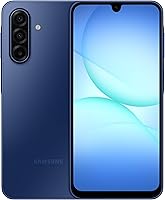
Galaxy A17 5G: for keeping a phone through several updates
Choose Galaxy A17 5G if software support is a leading buying factor. Samsung promises 6 OS upgrades and 6 years of security updates from the global manufacture date, rather than from the day you buy it.
That distinction matters if you plan to keep the phone for years. Check how much of the support period remains instead of assuming a new order starts a new support clock.
Its 128GB internal storage and memory-card option suit someone who keeps photos and files locally. A card can add room for suitable files, but it does not replace backups or expand the space available to every app.
Samsung includes a triple-lens camera, Circle to Search with Google and Samsung Wallet. Search needs an internet connection, while payment support depends on compatible cards and participating banks.
The phone supports 25W Super Fast Charging with a suitable charger sold separately. Its IP54 protection covers limited dust ingress and fresh-water splashes, so keep it away from swimming and beach use.
Skip it if a built-in stylus is essential, or if you need the higher water-protection rating offered by the Pixel. Choose it for its stated support commitment and Samsung features, rather than expecting it to lead every category.
Which phone features should decide your purchase?
Give priority to screen comfort, storage needs and support life, then choose the extras you will use. A feature only adds value if it solves something in your routine.
Match the screen to your hands and daily tasks
A larger screen can make recipes, maps and larger text easier to view. It also takes more pocket space and may require two hands more often.
Measure your current phone with its case on and decide what you would change. If it already feels wide, choosing an even larger display may make everyday use harder.
For a parent or someone who prefers larger text, consider the whole setup rather than screen size alone. Font scaling, clear home-screen shortcuts and comfortable volume settings can matter just as much.
Count internal storage before planning memory cards
Check how much storage your current phone uses before choosing its replacement. Include apps, downloaded media, message attachments and any files you expect to transfer.
The operating system and built-in software use part of the advertised capacity. Leave room for future updates and new apps rather than planning to fill all available space immediately.
Expandable storage is useful for suitable photos, music and documents. It is less useful if most of your space goes to apps that must remain on the phone.
Cloud storage can reduce local storage needs, but it may require an internet connection and a separate subscription. Decide which files must remain available when reception is poor.
Judge cameras by your subjects, not megapixels alone
For family photos, think about movement, lighting and ease of use. A larger megapixel number does not settle how a camera will handle every scene.
Stabilization can help with small hand movements, while a moving subject needs a short enough exposure. AI and editing tools serve a different purpose, such as guiding a shot or changing it afterward.
Choose the camera features that fit what you photograph most. Someone who mainly scans documents has different needs from someone taking evening family pictures.
Treat battery figures as planning clues
Battery capacity and advertised runtime help you shortlist phones, but your routine determines endurance. Navigation, video calls, high brightness and weak reception can increase power use.
Charging convenience may matter more than chasing the longest runtime claim. A desk charger, a suitable car charger or a planned top-up can make a phone easier to live with.
Avoid comparing brands’ hour claims as if they came from identical conditions. Choose enough battery flexibility for your day, then use the return period to assess your own routine.
How do you activate an unlocked Android phone?
Activate the phone by preparing your accounts, transferring your data and following your carrier’s SIM process. Keep your old phone available until both service and important apps work on the new one.
Prepare before moving your number
Back up photos, contacts and any files stored only on the old device. Make sure you know your Google account password and can receive any sign-in codes you may need.
Check banking apps and authenticator apps before erasing anything. Some require their own transfer steps rather than moving fully with the rest of your phone data.
If you are changing providers, obtain the account details and transfer PIN your new carrier requests. Do not cancel the old line first, since an active number is generally needed for the transfer.
If you are moving from an iPhone, turn off iMessage for the number you are transferring. This helps prevent messages from continuing to route through Apple’s messaging service.
Set up the phone and activate service
Connect to trusted Wi-Fi, charge the phone and follow the Android setup prompts. Allow time for data transfer and software updates instead of starting just before you need to leave.
Insert the physical SIM or follow the provider’s eSIM instructions. Use the intended SIM slot and avoid deleting a working eSIM profile unless the carrier tells you to.
For dual-SIM use, choose which line handles mobile data, calls and messages. Name the lines clearly so you can tell personal and work service apart.
Check service before putting the old phone away
Make and receive a normal call, exchange text messages, and send a photo message. Turn Wi-Fi off briefly to confirm mobile data works.
Check voicemail and any essential features such as Wi-Fi calling or hotspot access. A working browser over home Wi-Fi does not prove the cellular connection is ready.
If something fails, tell the carrier exactly which function is affected. Follow its instructions for provisioning or network settings rather than repeatedly resetting the whole device.
Our guide to using an unlocked phone for the first time gives you a fuller setup walkthrough.
What care habits help an unlocked phone last?
Protect the phone with a suitable case, sensible charging habits and regular backups. Carrier freedom is useful only if the device stays reliable enough to keep using.
Use a case made for the exact model so the buttons, cameras and charging port remain accessible. If you add a screen protector, check that it works with the phone’s biometric setup.
Keep the phone out of hot parked cars and direct heat while charging. If it gets unusually warm during setup or a large transfer, give it time to cool before adding more demanding tasks.
Use a compatible charger and an undamaged cable. Fast charging depends on both the phone and charging equipment, so a higher wattage printed on an adapter does not guarantee a faster charge.
Treat water resistance as backup protection against accidents. Avoid deliberate immersion, and let a wet charging port dry according to the manufacturer’s instructions before plugging in a cable.
Install available security updates and keep recovery details current. A screen lock, device-finding feature and reliable backup are worth setting up before the phone holds months of personal information.
Memory cards also need backups. If the phone or card is lost, extra storage alone will not preserve the only copy of your photos.
Which mistakes cause the most trouble with unlocked phones?
The biggest mistakes are assuming compatibility, rushing a number transfer and choosing features without checking daily needs. Each can be avoided before you depend on the new phone.
- Buying by brand name alone: check the exact model and regional version, not just “Samsung” or “Motorola.”
- Assuming 5G means every network works: confirm your provider, plan and local coverage.
- Choosing eSIM without checking activation: confirm that your provider supports it on that exact device.
- Erasing the old phone too soon: move account access, authenticator codes and local files first.
- Counting memory-card space as app space: check what can actually be stored there.
- Treating virtual RAM as physical RAM: RAM Boost borrows storage and is a different resource.
- Expecting the cable to provide fast charging by itself: check the adapter and cable requirements together.
- Ignoring the return period: activate the phone early enough to resolve a mismatch.
Another mistake is paying for a feature you will rarely use while accepting a poor fit elsewhere. A built-in stylus is useful for frequent notes, but it should not outweigh uncomfortable size or insufficient storage.
If everyday calls, messages and a few apps cover your needs, compare budget Android phones before paying more for extra tools. Keep carrier acceptance and remaining software support on that shortlist.
How should you make your final unlocked phone choice?
Choose among these unlocked phones by the feature you need most, once compatibility is settled. Use the following rules to narrow the decision without ranking every specification.
- Pick Google Pixel 10a for Google’s photo guidance, Gemini tools and a screen suited to outdoor viewing.
- Pick Moto G Stylus 2024 if handwritten notes, sketches or precise pen input will be part of your week.
- Pick Moto G Power 2025 for a large entertainment screen, local media storage and several charging options.
- Pick Galaxy A17 5G if Samsung’s stated software support and expandable file storage are your priorities.
If two phones still fit, let comfort and storage break the tie. Compare their size with your current device and make sure your apps and files leave room to grow.
Before ordering, have 3 answers ready: your carrier accepts the exact model, you know how service will be activated, and the return terms give you time to confirm everything works. Follow the unlocked phone buying checklist for those final checks.
If your carrier is already fixed, narrow the search with unlocked phones for Verizon or unlocked phones for T-Mobile. The right unlocked phone is the one that fits both your network and the way you use it.
Frequently asked questions
What does an unlocked phone mean?
An unlocked phone has no carrier lock restricting it to one provider; you can use it with compatible carriers, but you still need an active plan and an accepted device model. Being unlocked does not include service or guarantee support for every network or carrier feature.
Will any unlocked phone work with any carrier?
No, an unlocked phone still needs to meet the carrier’s device requirements; check the exact model number and, when available, its IMEI through the carrier’s compatibility checker. Confirm any essential features, such as Wi-Fi calling, separately before buying or moving your number.
Can I use an unlocked phone with a SIM card or eSIM?
You can use whichever SIM method both your phone and carrier support; some models accept a removable SIM card, some use eSIM, and some support both. Check the exact version and your plan’s activation process, especially if you need two numbers or plan to change providers.
Should I buy an unlocked phone or one from my carrier?
Buy unlocked if you want to choose your device separately and keep more options when changing providers; a carrier phone may suit you if you prefer its payment and setup process. Compare the full payment terms, required plan, credits and lock conditions before choosing either route.
How do I check if my current phone is unlocked?
Start with the original carrier, which can confirm the phone’s lock status and explain any remaining requirements; some phones also show this information in settings, though menus differ. After confirming the lock status, check compatibility with your next provider because these are separate requirements.