Do Unlocked Phones Work With AT&T?
Yes, unlocked phones can work with AT&T when the exact model is compatible and eligible for activation. Confirm eligibility with AT&T before buying, then activate the supported SIM or eSIM.
On this page (6 sections)
- How can you tell if an unlocked phone works with AT&T?
- Which unlocked phones are worth checking for AT&T?
- What should you check before switching to AT&T?
- How do you activate an unlocked phone on AT&T?
- What if an unlocked phone won’t connect to AT&T?
- Do unlocked phones work with AT&T? Choose by compatibility, then use
Yes, unlocked phones can work with AT&T if the exact model supports its network and is eligible for activation. Check the device with AT&T before buying or moving your service.
“Unlocked” means the phone isn’t restricted to one carrier. It doesn’t promise network compatibility, coverage at your home, or access to every carrier feature.
Start with what an unlocked phone means if that distinction is new to you. The buying decision comes down to compatibility first, then the features you’ll use each day.
How can you tell if an unlocked phone works with AT&T?
Check the exact device with AT&T, using its model number and IMEI. The IMEI identifies an individual phone, while the model number helps distinguish regional versions that share a marketing name.
Find these details in the phone’s settings or on its packaging. Use AT&T’s bring your own device information and follow its compatibility instructions.
For a phone you haven’t bought, confirm the exact US version and choose a return policy that gives you time to complete activation checks. Don’t assume a seller’s broad “GSM compatible” description settles AT&T eligibility.
Also confirm that the phone is actually carrier-unlocked. Our guide on how to check if a phone is unlocked explains the checks to make with the current carrier and in device settings.
What network support do unlocked phones need for AT&T?
An unlocked phone needs compatible network support and voice service, not simply a SIM slot that fits. Matching some frequency bands alone doesn’t settle whether AT&T can activate the device and support the functions you need.
Ask about Wi-Fi calling or hotspot use if either is essential to you. Those features can depend on the device, carrier setup, and plan.
Be especially careful with imported phones. Our guide to US and international phone versions explains why the version matters as much as the phone’s name.
Which unlocked phones are worth checking for AT&T?
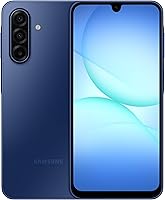
The 2 Motorola models explicitly support AT&T, while the Galaxy A17 5G needs confirmation for the exact version you’re considering. Choose among them by daily use after checking activation eligibility.
Moto G Power 2025: for frequent app switching and convenient charging
The Moto G Power 2025 suits someone who moves between messaging, maps, browsing, and entertainment. Its 8GB of physical RAM gives it more memory headroom than the Moto g 2026’s 4GB configuration.
Wireless charging makes it useful for a desk or bedside charging spot. Its 50MP camera system includes optical image stabilization, a reason to favor it if photos matter alongside everyday phone use.
The 128GB storage can be expanded with a separately sold microSD card up to 1TB. Use that extra space for supported photos, music, and downloads rather than expecting every app to move to the card.
Skip this model if a smaller phone is your main goal. Also budget for a suitable charger: maximum 30W wired charging requires a Motorola TurboPower 30W charger or higher, sold separately.
Galaxy A17 5G: for people who keep a phone for years
The Galaxy A17 5G suits buyers who value a defined software support commitment. Samsung promises 6 OS upgrades and 6 years of security updates from the date of global manufacture, so that period doesn’t begin when you buy it.
Its 128GB storage supports expansion with a separately sold microSD card up to 2TB. That suits someone who keeps a growing collection of photos and videos locally.
Skip it if you need to order before confirming AT&T eligibility. Being a US unlocked phone doesn’t replace that check.
Samsung’s IP54 protection covers limited dust exposure and fresh-water splashes, not pool use. Its 25W Super Fast Charger is sold separately, so include the correct charging gear in your decision.
Moto g 2026: for calls, messages, and casual entertainment
The Moto g 2026 suits someone whose routine centers on calls, chat apps, maps, and video. It pairs a 5200mAh battery with stereo speakers and Dolby Atmos, making it worth considering for entertainment away from a charger.
Its 128GB configuration has 4GB of physical RAM. RAM Boost borrows internal storage as virtual memory, so the advertised expanded memory figure isn’t the same as physical RAM.
Skip it if you often switch among demanding apps or want sharper text from a higher-resolution screen. Its 1604 x 720 resolution is a more useful buying detail than its refresh rate alone.
Maximum 30W TurboPower charging requires a suitable Motorola charger, and charger inclusion varies by market. For more help choosing between the Motorola lines, read Moto G vs Moto G Power.
What should you check before switching to AT&T?
Confirm device eligibility, local coverage, and transfer requirements before you move your number. A compatible phone can still be a poor choice if service is weak where you spend most of your time.
Check coverage around home, work, and regular travel routes. If indoor reception matters, confirm whether your exact device and plan support Wi-Fi calling.
Before placing an order or starting a transfer:
- Match the exact model and regional version to AT&T’s compatibility process.
- Confirm carrier-unlocked status and eligibility for your chosen service.
- Ask which physical SIM or eSIM setup the device supports on AT&T.
- Check charger needs, return terms, and whether the phone’s size suits you.
- Back up your old phone and collect the account details needed to transfer your number.
Keep the old line active while following the number-transfer instructions. Canceling it too soon can complicate keeping your number.
Our guide to buying an unlocked phone that works in the US covers the wider shopping checks. If you’re comparing carriers, using an unlocked phone on T-Mobile follows the same compatibility-first approach.
How do you activate an unlocked phone on AT&T?
Follow AT&T’s activation steps for your exact device and plan, then check service before erasing the old phone. Have Wi-Fi available so you can download setup files and restore your backup.
Install available software updates before moving into daily use. For more help with accounts, backups, and basic settings, see how to use an unlocked phone.
Should you use a SIM card or eSIM?
Choose the option supported by both AT&T and your exact phone. Don’t assume that every unlocked version of a model has the same eSIM support.
A physical SIM must fit the tray and be active on your line. Ask AT&T whether an existing SIM can move directly or whether your account needs an update.
An eSIM requires digital activation, which may involve carrier instructions or a setup code. Don’t delete an existing eSIM until you understand the replacement process.
Our guide to SIM cards and eSIMs in unlocked phones explains the practical differences.
What should you check after activation?
Check calls, texts, voicemail, and mobile data separately. Turn Wi-Fi off briefly when checking data so a working home connection doesn’t hide a mobile-service problem.
Make an outgoing call and ask someone to call you back. Send and receive a text, then check picture messaging and any plan features you rely on.
Keep the old phone and its backup until your accounts, photos, and sign-in methods are available on the replacement. Banking and authentication apps may need separate setup.
What if an unlocked phone won’t connect to AT&T?
Start with line activation and SIM status, then ask AT&T to confirm the device is set up correctly on your account. Buying another phone should come after identifying the cause.
Restart the phone and confirm airplane mode is off. Check that the physical SIM is seated correctly or that the intended eSIM line is enabled.
If calls work but data doesn’t, check mobile-data settings and the selected data line on a dual-SIM device. Use carrier-provided settings instead of copying random access point settings from a forum.
Tell support exactly what fails: incoming calls, outgoing calls, texts, or data. Have the model number and IMEI ready, and ask AT&T to check compatibility and account provisioning.
For everyday care, avoid excess heat while charging and replace damaged cables. Don’t treat water resistance as permission to submerge a phone, and keep software and backups current.
Do unlocked phones work with AT&T? Choose by compatibility, then use
Yes, unlocked phones work with AT&T when the exact device is eligible. Keep a suitable phone you already have if it passes that check and still meets your needs.
Choose the Moto G Power 2025 for more physical RAM and wireless charging. Favor the Galaxy A17 5G for Samsung’s stated software support period, or the Moto g 2026 for a simpler daily routine with casual entertainment.
Confirm compatibility before choosing any of them. For another carrier check, read does an unlocked phone work with Verizon?, or use the complete guide to unlocked Android phones to plan your next steps.
Frequently asked questions
Do all unlocked phones work with AT&T?
No, not every unlocked phone works with AT&T because carrier freedom and network compatibility are separate requirements. Check the exact model and device identifier with AT&T before buying or moving service, especially for an older phone or a version made for another country.
Can I use my AT&T SIM in an unlocked phone?
You can often move an active AT&T SIM into a compatible unlocked phone, but confirm the transfer steps with AT&T first. The SIM must fit, and your account may need a device update; after moving it, check incoming and outgoing calls, texts, and mobile data.
Does an unlocked phone work with AT&T prepaid?
An unlocked phone can work with AT&T prepaid if AT&T accepts the exact device for that service. Check compatibility for the prepaid plan you want, then confirm the supported SIM option and activation process rather than assuming eligibility for another AT&T service covers your choice.
How do I check if an unlocked phone works with AT&T?
Use AT&T’s compatibility process with the exact model number and the IMEI, which identifies the individual phone. Find these in the device settings or packaging, then confirm that the phone is also carrier-unlocked; avoid sharing the IMEI publicly while asking for help or comparing devices.