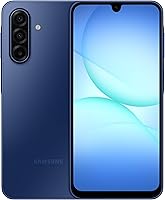
How to Buy an Unlocked Phone That Works in the US
To buy an unlocked phone for US service, confirm that your carrier accepts the exact model, then check its unlocked status and SIM support. Choose features for your daily use and read the return terms before ordering.
On this page (10 sections)
- How do you buy an unlocked phone that works with your carrier?
- What does “unlocked” mean when you buy a phone?
- Should you buy a US version or an international version?
- How should you check SIM, eSIM and number transfers?
- Which features should decide your phone choice?
- Which unlocked phones suit different buyers?
- What should you check before placing the order?
- What should you do when the phone arrives?
- How can you keep the phone useful for longer?
- How do you choose the right unlocked phone for US service?
To buy an unlocked phone for US service, confirm carrier compatibility for the exact model before choosing its features. Then check unlocked status, SIM support and return terms so you have a clear path from ordering to activation.
The key to learning how to buy an unlocked phone is separating 2 decisions: whether it will work with your service, and whether it suits your daily use. A large screen or long feature list can't make up for a phone your carrier won't activate.
For a wider view of the choices, see our complete guide to unlocked Android phones.
How do you buy an unlocked phone that works with your carrier?
Start with your carrier's compatibility check, using the complete model number and, when available, the device's IMEI. The IMEI identifies an individual phone; the model number identifies its version.
A phone family can include several regional or carrier versions. A familiar name on the box doesn't establish that you're buying the version your service accepts.
Follow this order:
- Name your actual service provider. If you use a prepaid brand, check with that brand rather than only the larger network it uses.
- Get the complete model number. Ask for it before ordering if the version isn't clear.
- Use the carrier's compatibility tool. If it requires an IMEI you can't get before delivery, ask support what it can confirm from the model number.
- Check the services you need. Include calls, texts, mobile data, hotspot use and Wi-Fi calling where relevant.
- Keep the confirmation. Save the result or support conversation with your order details.
A general compatibility claim is useful for narrowing your options, but your provider should confirm activation for your plan. If Verizon is your carrier, read our guide to whether unlocked phones work with Verizon.
AT&T customers can also use our guide to unlocked phone compatibility with AT&T to prepare their questions.
What does “unlocked” mean when you buy a phone?
Unlocked means a carrier lock doesn't restrict the phone to one provider. It doesn't promise service on every network, an active plan or freedom from other device restrictions.
Compatibility concerns network support and carrier acceptance. Coverage is a separate issue: even a compatible phone still depends on the service available where you live, work and travel.
If the term is new to you, read what an unlocked phone means. Get written confirmation of unlocked status rather than assuming that a phone sold without a plan must be unlocked.
Used and refurbished phones need extra checks. Ask whether the device has unpaid financing, has been reported lost or stolen, or remains tied to a previous owner's account.
A carrier lock and an account lock are different problems. A phone that starts at a previous owner's sign-in screen may need that person to remove their account before you can complete setup.
Should you buy a US version or an international version?
Choose a verified US version as your starting point for US service. Consider an international version only when you can confirm the exact model, carrier acceptance and support terms.
Regional versions can share a name while differing in network support, software or warranty coverage. A version that works abroad may still lack carrier features you rely on at home.
Check where warranty service is available and who handles it. Also read whether returns involve shipping to another country or paying a return charge.
For more on these differences, see US version vs international version phones.
What model details matter when buying an unlocked phone?
Match the full model identifier, storage option and condition to your order. Product photos and family names aren't enough to distinguish every version.
Keep a copy of those details so you can compare them with the box and device settings on arrival. If the delivered phone is a different version, resolve that before transferring accounts and personal files.
Don't confuse US compatibility with international travel support. If travel matters, check the destination carrier, SIM options and any limits on using a second line.
How should you check SIM, eSIM and number transfers?
Confirm a SIM format that both the phone and your carrier support, then arrange activation around your existing service. Don't assume that every unlocked phone supports eSIM or that every physical SIM can move without an account change.
Ask your carrier:
- Can I move my current physical SIM, or do I need a replacement?
- Does this exact model support your eSIM activation process?
- Will my current plan stay the same?
- Do I need an account PIN or number-transfer PIN?
- Are there activation or SIM charges to include in my budget?
If you're changing carriers and keeping your number, follow the new provider's transfer instructions. Avoid canceling the old line yourself before the transfer is complete, since that can complicate keeping the number.
Moving an eSIM may require the carrier's app, an activation code or support help. Keep the old phone available until the new one can make calls and receive messages.
Our SIM card and eSIM guide for unlocked phones explains the formats and the questions to settle before delivery.
Which features should decide your phone choice?
Choose around your daily tasks and how long you plan to keep the phone. Once compatibility is settled, focus on screen comfort, physical memory, storage, charging and software support.
Choose a screen you can comfortably hold
A large screen gives you more room for maps, video and larger text. It also takes more pocket space and can be harder to use with one hand.
Screen size and sharpness are different measures. If you read small text or view detailed photos, compare resolution as well as the diagonal size.
Separate physical RAM from storage expansion
Physical RAM holds active app data, while storage holds apps, photos and files. A microSD card adds file space on supported phones but doesn't increase physical RAM.
RAM Boost uses part of internal storage as virtual memory. Don't read a combined RAM figure as the amount of physical memory inside the phone.
For frequent app switching, give physical RAM more weight than the largest advertised combined figure. For downloaded videos and a growing photo library, check storage expansion and keep a backup plan.
Count accessories and support as part of the choice
Check whether you need a wall charger, protective case, screen protector or microSD card. A cable in the box doesn't establish that a wall charger is included.
Software support also matters if you keep a phone for several years. Check when a promised support period starts, since the date you buy it may be later than the date that starts the clock.
If you're narrowing choices mainly by spending level, our best budget Android phones guide offers another way to compare suitable options.
Which unlocked phones suit different buyers?
Choose the Stylus for pen use, the Power for charging flexibility, the A17 for stated software support, or the Moto g for basic daily tasks. Confirm the exact version with your carrier before placing the order.
Moto G Stylus 2024: for notes and pen control
The Moto G Stylus 2024 suits people who regularly jot notes, mark up photos or sketch. Buy it for the built-in pen if those tasks already fit your routine.
Its 6.7 in pOLED display provides space for those tasks, while the 50MP camera includes optical image stabilization. OIS helps reduce blur from hand movement, though it won't freeze a moving subject by itself.
This version has 8GB of RAM and 128GB of storage. Motorola's RAM Boost uses storage as virtual memory, so it shouldn't be counted as additional physical RAM.
Skip it if you rarely use a pen or want a smaller phone. A stylus is useful when it replaces a task you'd otherwise struggle to do with your finger, rather than simply adding another feature.
After setup, learn the pen shortcuts and keep the stylus seated when carrying the phone. A case should leave its opening easy to reach.
Moto G Power 2025: for charging flexibility and media
The Moto G Power 2025 suits people who want a large entertainment screen and the choice of wired or wireless charging. Choose it for that combination, rather than assuming the Power name guarantees longer runtime than every alternative.
It has a 5,000 mAh battery, 8GB of physical RAM and 128GB of built-in storage. A separately sold microSD card can add up to 1TB for supported files, though some protected content can't move to the card.
Maximum wired charging is 30W with a suitable Motorola TurboPower charger, sold separately. A higher-output charger won't increase the phone's maximum charging speed.
Skip this model if a large device feels awkward in your pocket or your main reason to switch is pen input. Its screen size makes more sense for frequent video viewing than for someone seeking a compact phone.
Motorola states compatibility with major US carriers. Confirm your own provider's activation requirements, particularly if you use a prepaid service.
Galaxy A17 5G: for buyers keeping a phone longer
The Galaxy A17 5G suits buyers who put a clear software support commitment near the top of their checklist. Choose it for Samsung's stated update policy if you plan to keep the device for several years.
Samsung promises 6 OS upgrades and 6 years of security updates from the date of global manufacture. That period doesn't restart when you buy the phone, so check the remaining support window when comparing older stock.
Its IP54 protection covers dust and fresh-water splashes within its limits. Samsung advises against beach or pool use, so treat the protection as help with accidents rather than permission to submerge it.
Skip it if your priority is the Stylus model's pen or the Power model's wireless charging. Those are clearer reasons to choose the other options.
For charging, Samsung specifies a separately sold 25W Super Fast Charger. Check your existing charger's suitability before adding another accessory.
Moto g 2026: for calls, maps and everyday apps
The Moto g 2026 suits buyers whose routine centers on messaging, calls, maps and light entertainment. Choose it when basic daily use matters more than sharper screen detail or heavier multitasking.
This version has 4GB of physical RAM and 128GB of storage. Its combined RAM Boost figure includes virtual memory, so buyers who frequently switch among demanding apps should give the 8GB Motorola options more attention.
The HD+ screen supports refresh rates up to 120Hz. A higher refresh rate can make supported scrolling look smoother, but it doesn't add the fine detail of a higher-resolution display.
Its battery has a typical capacity of 5,200 mAh. Actual runtime depends on signal, brightness and use, so capacity alone shouldn't decide between phones.
Skip it if you want a built-in pen or place a high value on screen sharpness. Motorola states major US carrier compatibility, including prepaid carriers; confirm acceptance with your specific provider.
What should you check before placing the order?
Review the exact device, total setup cost and return terms together. A suitable phone can still be an awkward buy if you can't resolve activation trouble within the return window.
Save this checklist with your order:
- Version and condition: The full model, storage, color and new or refurbished condition match your choice.
- Carrier approval: You have the provider's compatibility guidance and any limits it identified.
- SIM plan: You know how to activate the device and transfer your number.
- Accessories: You have allowed for any charger, case or memory card you need.
- Return terms: You know the deadline, return shipping rules and any condition requirements.
- Support: You know who handles a fault and where warranty service is available.
Don't treat a warranty as a substitute for a return policy. A warranty addresses covered faults; it may not resolve a phone that doesn't suit your needs or isn't accepted by your carrier.
What should you do when the phone arrives?
Check the delivered device before moving everything onto it, then activate service and verify the functions you use. Keep the packaging until you're satisfied that the phone matches the order and works with your plan.
First, compare the model and storage in device settings with your order. Check the screen, buttons, charging port and included items for damage or missing parts.
Connect to Wi-Fi, install available system updates and set a strong screen lock. Use your own Google account and make sure you can recover it before transferring important files.
Back up the old phone and check how your authenticator, banking and messaging apps transfer. Some require their own steps beyond the phone's general copy process.
Once activated, make an outgoing call, receive an incoming call and send messages. Turn Wi-Fi off briefly to confirm that mobile data connects through your plan.
Check voicemail, picture messages and any supported features you depend on. A data connection alone doesn't establish that the rest of the service is ready.
Use the phone in your usual locations while the return window is open. For a fuller walkthrough, see how to use an unlocked phone for the first time.
What should you do if activation fails?
Contact the carrier with the model, IMEI and error message before repeatedly resetting the phone. Ask whether the issue is device acceptance, SIM setup, account status or a service outage.
Don't edit network settings at random or erase the old phone while your number transfer is incomplete. If the device is the wrong version or can't be accepted, start the return process before the deadline.
How can you keep the phone useful for longer?
Keep software current, protect your files and avoid excess heat. These habits matter more than chasing a larger memory figure after you've bought the phone.
Enable automatic backups and confirm that important photos and contacts are included. A microSD card adds space, but it can be lost or fail along with the device.
Leave some internal storage free for app updates and downloads. Move suitable media files when needed, and check permissions before installing unfamiliar apps.
Use a sound charger and cable, and replace damaged accessories. Avoid charging under bedding or leaving the phone in a hot parked car.
Fit a case suited to the exact model, since button and camera openings vary. Treat water resistance as limited protection, and follow the phone's care instructions if it gets wet.
How do you choose the right unlocked phone for US service?
The final rule for how to buy an unlocked phone is to settle compatibility first, then choose the feature you'll actually use. Order only when the model, activation steps and return terms are clear.
Pick the Moto G Stylus 2024 for frequent pen use, or the Moto G Power 2025 for wireless charging and a large media screen. Choose the Galaxy A17 5G for Samsung's stated software support, or the Moto g 2026 for a simpler daily routine.
Before transferring your number, keep your old phone available and your account details ready. If T-Mobile is your provider, continue to our guide to using an unlocked phone on T-Mobile.
Frequently asked questions
How do I know if an unlocked phone will work with my carrier?
Check the exact model with your carrier before buying, and use its device compatibility tool when an IMEI is available; ask about calls, texts, data and any features you need, such as Wi-Fi calling. An unlocked label alone does not establish that the carrier will accept the device.
Is a US unlocked phone different from an international version?
Yes, regional versions can differ in network support, software and warranty coverage even when they share a family name; get the full model number and confirm US carrier acceptance before ordering. Our guide to US and international phone versions explains the differences that can affect your choice.
Can I use an unlocked phone with a SIM card or eSIM?
You can use the SIM format supported by both the exact phone and your carrier; some models accept a physical SIM, some support eSIM, and some offer both. Read our guide to unlocked phones, SIM cards and eSIM before arranging activation or moving your existing service.
Should I check a phone before buying it as unlocked?
Yes, confirm its unlocked status, exact model and return terms before buying; for a used phone, also ask about unpaid financing, blocked-device status and account locks. If you already have the device, follow our steps to check whether your phone is unlocked before switching carriers.