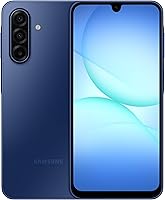
7 Best Unlocked Phones for T-Mobile (October 2026)
The best unlocked phones for T-Mobile include the Moto G Stylus 2024 for casual note takers, the Moto G Power 2025 for frequent video viewers, and the Moto G Stylus 2025 for prolific note takers.
On this page (9 sections)
- How we chose unlocked phones for T-Mobile
- Which unlocked phone for T-Mobile fits your needs?
- What should you check before buying an unlocked phone for T-Mobile?
- Which screen, storage and memory differences matter most?
- How should you set up your phone before moving T-Mobile service?
- Which charging and care habits help after setup?
- What mistakes should you avoid when choosing these phones?
- Which phone should you pick for T-Mobile?
- Sources to check before activating an unlocked phone on T-Mobile
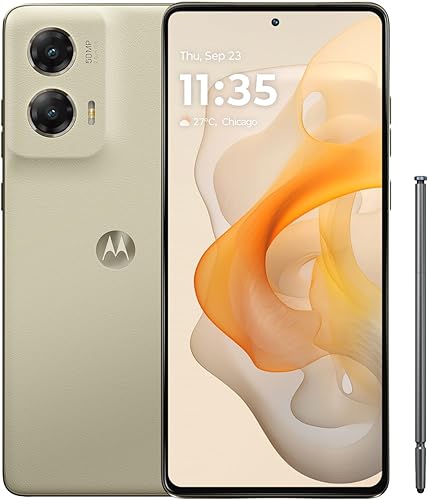
The Moto G Stylus 2024 is our top unlocked phone for T-Mobile if you want handwritten notes, an OLED screen and a stabilized main camera. Confirm the exact model with T-Mobile before buying.
Choose the Moto G Power 2025 for video watching, the Moto G Stylus 2025 for frequent pen use, or the Galaxy A17 5G for Samsung’s stated update commitment.
Unlocked status and carrier compatibility are separate checks. Our guide to what an unlocked phone means explains why a phone can accept another carrier’s SIM yet still need a network eligibility check.
Our picks at a glance
-
1
-
2

-
3
How we chose unlocked phones for T-Mobile
We compared carrier fit and useful daily features, giving priority to screens, storage, cameras and extras that serve a clear purpose. The best choice depends on what you do beyond calls and messages.
Motorola names T-Mobile among compatible carriers for the Power 2025, Stylus 2025, Moto g 2026 and Moto G 2025. The Stylus 2024 and both Samsung models need particular attention to exact-model eligibility.
The scores reflect the overall feature mix; a lower-ranked phone can still fit your needs better. A stylus matters little if you never write on your screen, while software support matters more if you keep phones for years.
| Product | Best for | Display | Storage | Carrier fit | Our score |
|---|---|---|---|---|---|
| Moto G Stylus 2024 | casual note takers | 6.7-inch pOLED | 128GB | Confirm exact model with T-Mobile | 8.4 |
| Moto G Power 2025 | frequent video viewers | 6.8-inch, up to 120Hz | 128GB, microSD support up to 1TB | Motorola names T-Mobile | 8.3 |
| Moto G Stylus 2025 | prolific note takers | 6.7-inch Super HD pOLED | 256GB | Motorola names T-Mobile | 8.1 |
| Galaxy A17 5G | long-term everyday use | 6.7-inch FHD+ Super AMOLED | 128GB, microSD support up to 2TB | Confirm exact model with T-Mobile | 8.0 |
| Galaxy A37 5G | busy outdoor days | 6.7-inch Super AMOLED | 128GB | Confirm exact model with T-Mobile | 7.9 |
| Moto g 2026 | light daily use | 6.7-inch HD+, up to 120Hz | 128GB | Motorola names T-Mobile | 7.8 |
| Moto G 2025 | wired music listeners | 6.7-inch LCD, up to 120Hz | 128GB, microSD support up to 1TB | Motorola names T-Mobile | 7.7 |
Which unlocked phone for T-Mobile fits your needs?
Start with the feature you will use every day, then confirm carrier eligibility before choosing. The picks below serve different buyers, so there is little reason to pay for a pen, storage or protection you do not need.
Moto G Stylus 2024
- Built-in stylus
- 6.7-inch pOLED display
- 50MP camera with OIS
- 128GB storage
Choose it for handwritten reminders, photo edits and sketches without carrying a separate pen. Its OLED screen and stabilized main camera round out the everyday features.
Pros
- Built-in stylus
- Main camera with optical image stabilization
- Stereo speakers and wireless charging
Cons
- Less built-in storage than the 2025 Stylus
- Exact-model T-Mobile compatibility check needed
Moto G Stylus 2024: our top unlocked phone for T-Mobile
The Moto G Stylus 2024 suits casual note takers who want a pen built into their everyday phone. Use it for a shopping list, a quick sketch or a small photo edit without carrying another accessory.
Its 6.7-inch pOLED screen gives you room to write and view content. The 50MP main camera includes optical image stabilization, which helps reduce blur from small hand movements but cannot freeze a moving child or pet.
The 128GB storage allowance fits buyers willing to manage downloads and back up photos. Choose the newer Stylus instead if you already struggle to keep enough internal space free.
This is also worth considering if you want stereo speakers and wireless charging alongside the pen. Skip it if you prefer a small phone or expect the stylus to replace a large drawing surface.
Before committing, confirm the exact model’s eligibility rather than relying on the family name. Our guide on how to use an unlocked phone on T-Mobile covers the next steps once you have a compatible device.
Moto G Power 2025
- Motorola names T-Mobile among compatible carriers
- 6.8-inch display with up to 120Hz refresh rate
- Wireless charging
- microSD support up to 1TB
A large screen, stereo speakers and expandable storage suit people who watch videos and keep media nearby. Wireless charging adds a convenient way to recharge at a desk.
Pros
- Explicit T-Mobile compatibility statement
- Large display and stereo speakers
- Expandable storage and wireless charging
Cons
- Large body may be awkward one-handed
- Maximum wired charging requires a separate compatible charger
The Moto G Power 2025 is the better fit for frequent video viewers who want a large screen and several charging options. Motorola explicitly includes T-Mobile among its supported major U.S. carriers.
Its 6.8-inch display refreshes at up to 120Hz, and stereo speakers support listening without headphones. The refresh rate can vary with content and settings, so it is not a promise that every app runs at the maximum.
You get 128GB internally and microSD support up to 1TB for a media library. Some protected content cannot move to a card, so leave internal space for apps and downloads that must stay there.
The 5000mAh battery supports wired and wireless charging. Maximum 30W wired charging requires a compatible Motorola TurboPower charger, sold separately; a higher-wattage adapter cannot raise the phone’s limit.
Choose this over a stylus model if watching matters more than writing. Skip it if easy pocket fit is your main concern: measure your current phone and consider how a larger body will feel with a case.
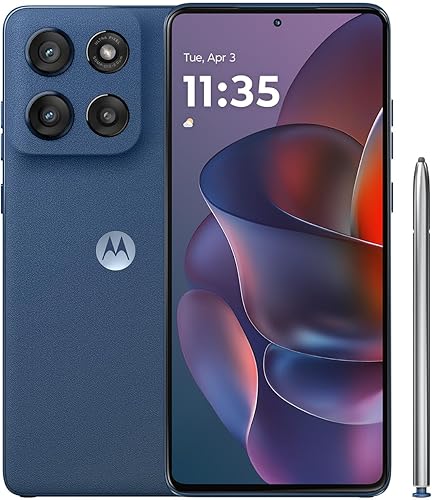
Moto G Stylus 2025
- Motorola names T-Mobile among compatible carriers
- Built-in stylus
- 6.7-inch Super HD pOLED display
- 256GB storage
The larger internal storage allowance suits people who save many notes, photos and apps. Its built-in stylus and higher-resolution screen make it the stronger fit for frequent pen use.
Pros
- Built-in stylus
- 256GB internal storage
- IP68 protection
Cons
- Maximum charging speed needs a separate 68W charger
- Water resistance decreases with wear
The Moto G Stylus 2025 suits people who write often and keep many apps, photos and files locally. Its 256GB internal storage gives you more room before you need to sort or remove content.
The built-in pen pairs with a 6.7-inch Super HD pOLED display. The higher resolution makes this a stronger choice for small text and detailed images than the HD+ options farther down this guide.
Motorola names T-Mobile among supported carriers and provides IP68 protection. Water resistance can decrease with wear, and the phone is not designed for use underwater or for charging while wet.
Maximum 68W TurboPower charging requires Motorola’s compatible charger, sold separately. Choose the charging setup around your routine: a desk charger may matter more than maximum speed if the phone stays plugged in during work.
Pick this model over the 2024 Stylus when storage and frequent pen use justify the choice. Skip it if you mainly call and message; our Moto G Stylus review offers more detail on the 2025 model.
Galaxy A17 5G

- 6.7-inch FHD+ Super AMOLED display
- microSD support up to 2TB
- 6 OS upgrades and 6 years of security updates from global manufacture
- Unlocked U.S. phone
Samsung’s stated update commitment makes this a useful option for buyers planning to keep their phone. Expandable storage helps with a growing photo and video collection.
Pros
- Samsung states 6 OS upgrades and 6 years of security updates from global manufacture
- Expandable storage
- Super AMOLED screen
Cons
- IP54 protection does not cover immersion
- Charger sold separately; carrier eligibility needs confirmation
The Galaxy A17 5G fits buyers who want to keep a Samsung phone for several years. Samsung states 6 OS upgrades and 6 years of security updates from the date of global manufacture.
That starting point matters: the support period does not begin when you open the box. Check how much of that window remains if you are buying older stock.
Its 6.7-inch FHD+ Super AMOLED screen suits reading, video calls and browsing. Internal storage is 128GB, with microSD support up to 2TB for compatible files; the card is sold separately.
Choose it if your photo collection keeps growing and you are comfortable managing backups. A memory card adds capacity, but it does not replace a separate copy of family pictures.
Skip it if immersion protection is a priority, because its IP54 protection covers splashes and limited dust exposure. The 25W charger is separate, and exact-model T-Mobile eligibility still needs confirmation.
Our Samsung Galaxy A17 overview can help you decide whether its everyday features match your routine.
Galaxy A37 5G
- 6.7-inch Super AMOLED display
- Gorilla Glass Victus+ and IP68 protection
- Exynos 1480 processor
- 6 OS upgrades and 6 years of security updates
Choose this Samsung option when stronger water and dust protection matters alongside daily apps and photography. Confirm the exact U.S. model with T-Mobile before buying.
Pros
- IP68 water and dust resistance
- Gorilla Glass Victus+
- Samsung states 6 OS upgrades and 6 years of security updates
Cons
- 128GB internal storage
- 45W charger sold separately; carrier eligibility needs confirmation
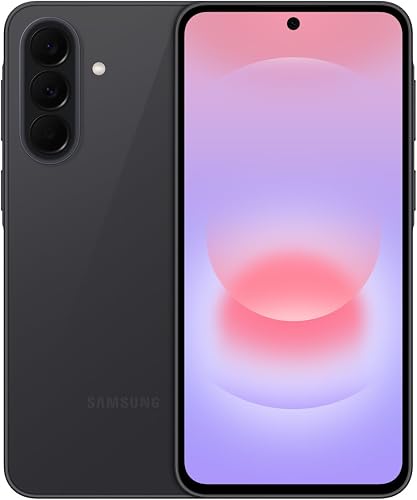
The Galaxy A37 5G suits Samsung buyers who want stronger protection for busy days outdoors. Gorilla Glass Victus+ and IP68 water and dust resistance give it a different role from the splash-resistant A17.
Its 6.7-inch Super AMOLED display provides room for maps, messages and photos. The Exynos 1480 processor is another reason to consider it if switching between apps matters more than having a built-in pen.
The 50MP HDR main camera sits within a triple-camera system, with Samsung’s Nightography feature for low-light photos and videos. Object Eraser and Edit Suggestion provide editing options after capture.
Choose it for that mix of protection, photography tools and Samsung’s stated software support. Skip it if your current phone’s biggest problem is internal storage, since this version still starts at 128GB.
Super Fast Charging 2.0 uses a separate 45W charger. Confirm T-Mobile eligibility first, then check Samsung’s care guidance rather than assuming IP68 permits any kind of water exposure.
A protective case remains useful, especially if you often place your phone on rough surfaces.
Moto g 2026

- Motorola names T-Mobile among compatible carriers
- 6.7-inch HD+ display, up to 120Hz
- 5200mAh typical battery capacity
- 4GB physical RAM
A practical shortlist option for calls, messages, maps and casual entertainment. Choose it when screen sharpness and heavy multitasking are lower priorities.
Pros
- Explicit T-Mobile compatibility statement
- Stereo speakers
- Fast-refreshing display
Cons
- HD+ screen has less detail than higher-resolution choices
- 4GB physical RAM; charger may be sold separately
The Moto g 2026 is a sensible shortlist option for light daily use, including calls, messages, maps and casual video. Motorola explicitly names T-Mobile among supported carriers.
Its 6.7-inch HD+ screen refreshes at up to 120Hz. Smooth scrolling and sharp detail are different qualities, so choose a higher-resolution model if small text or close-up image viewing matters most.
The phone has 4GB of physical RAM and 128GB of internal storage. RAM Boost borrows storage as virtual memory; it does not turn this into a phone with the same amount of physical RAM.
A 5200mAh typical battery capacity is useful context, but it cannot establish which phone lasts longest. Signal strength, screen settings, apps and temperature all affect runtime.
The main and selfie cameras combine pixels for effective photo resolutions of 12.5MP and 8MP. Judge them by the kinds of pictures you need, rather than treating sensor megapixels as a quality ranking.
Skip this model for heavy multitasking. Check charger inclusion before ordering, since Motorola notes that the charger may be separate.
Moto G 2025

- Motorola names T-Mobile among compatible carriers
- 3.5mm headphone jack
- microSD support up to 1TB
- 4GB physical RAM
The headphone jack and expandable storage suit people who keep music files and use wired headphones. Its basic memory allowance makes it better for lighter app use.
Pros
- Explicit T-Mobile compatibility statement
- 3.5mm headphone jack
- microSD support up to 1TB
Cons
- 4GB physical RAM
- Water-repellent design does not permit submersion
The Moto G 2025 fits wired music listeners who want to keep audio files on a memory card. Its 3.5mm headphone jack lets you use compatible wired headphones without a separate audio adapter.
Internal storage is 128GB, with microSD support up to 1TB. That gives you a place for compatible music, photos and video, while apps and some downloads may still need internal space.
The 6.7-inch LCD refreshes at up to 120Hz and has HD+ resolution. Pick it for casual entertainment; move toward a higher-resolution display if reading fine text is a major part of your day.
Its 4GB physical RAM makes it a better fit for lighter app use than demanding multitasking. RAM Boost uses storage, so the expanded memory figure should not drive your decision.
Motorola names T-Mobile among compatible carriers. The water-repellent design handles moderate fresh-water exposure such as light rain, but it is not intended for submersion.
Skip it if immersion protection is essential. For a wider shortlist, see our guide to best cheap unlocked phones.
What should you check before buying an unlocked phone for T-Mobile?
Confirm the exact model, device eligibility and SIM method before buying. A familiar brand name, an unlocked label and a 5G badge do not settle all 3 questions.
Check the exact version and device identity
Start with the full model number, including any regional version. A U.S. model and an international version with a similar name can have different network support and activation options.
Use T-Mobile’s compatibility checker with the IMEI when available. An IMEI identifies the individual device, while the model number identifies the hardware version.
If buying a used or renewed phone, also confirm that it is eligible for activation and has no unresolved account or device restrictions. Keep a clear return option if compatibility cannot be established before delivery.
Our guide to buying an unlocked phone that works in the US explains how to separate these checks before ordering.
Confirm the services you actually need
Ask about calling, mobile data and any extra service you rely on, including Wi-Fi calling or hotspot use. Device capability and permission under your plan are separate matters.
Coverage also depends on where you use the phone. Check home, work and regular travel areas rather than choosing solely because a model supports 5G.
If you use a carrier that runs on T-Mobile’s network, follow that provider’s activation process. Sharing a network does not mean every provider uses the same SIM or account steps.
Check lock status separately
A phone must be free of a carrier restriction before you can move it to another eligible network. Our guide to checking whether a phone is unlocked covers this step.
Do not assume a reset removes a carrier lock. Resetting clears personal settings and data; carrier restrictions require the appropriate carrier process.
Which screen, storage and memory differences matter most?
Choose screen detail for reading, internal storage for apps and physical RAM for multitasking. These solve different problems, and a large number in one category cannot replace another.
Screen size does not tell you everything
Every pick here has a large display, so none is an obvious choice for someone seeking a compact phone. Add a case to your size estimate and consider reaching the top of the screen one-handed.
Resolution affects how much detail the display can show. Refresh rate affects how often the image changes, which can make scrolling look smoother.
If you read long articles, compare display detail before choosing by refresh rate alone. If glare bothers you, also think about where you sit, screen brightness settings and how you hold the phone.
Internal storage and memory cards serve different jobs
Choose more internal storage if you keep many apps, offline downloads or large message attachments. Available space is lower than the advertised capacity because the system and installed software take a share.
A microSD card is useful for compatible files, but it cannot always hold an app or protected download. Check where your current phone’s storage goes before deciding that a card solves the problem.
Keep a separate backup of anything you cannot replace. A lost phone can take both its internal files and its memory card with it.
Physical RAM matters more than an expanded memory headline
Physical RAM helps the phone keep active work ready as you move between apps. A lighter user has different needs from someone switching among maps, video calls and several work tools.
RAM Boost uses internal storage as virtual memory and leaves less room for files. Treat it as an extra feature, rather than adding it to physical RAM as though they were interchangeable.
How should you set up your phone before moving T-Mobile service?
Back up your old phone and prepare account access before moving your SIM or starting an eSIM transfer. Keep both phones charged and connect the new one to reliable Wi-Fi.
First, confirm that photos, contacts and important files have usable backups. Open a few saved items so you know the backup contains more than empty folders.
Next, check passwords, recovery methods and authenticator apps. Some banking and work apps require fresh sign-in approval, and an authenticator may need its own transfer steps.
Confirm whether your exact device supports the physical SIM or eSIM method you plan to use. Do not infer eSIM support from “unlocked,” “5G” or “dual SIM.”
Follow the carrier’s activation instructions, then make a call, send a message and load a webpage with Wi-Fi off. Check picture messages, voicemail and any other service you depend on.
If service is incomplete, use T-Mobile’s support process before changing network settings at random. A data problem and a calling problem may need different fixes.
Keep the old phone until your files, accounts and service work as expected. Our guide to using an unlocked phone for the first time covers the broader transfer process.
Which charging and care habits help after setup?
Use compatible charging gear, regular backups and basic physical protection to keep your new phone useful. Maximum charging speed is only one part of a practical daily routine.
A USB-C plug does not by itself confirm that a charger supports the phone’s fastest charging mode. Check the required adapter and cable before buying accessories, especially when the wall charger is separate.
Charging normally slows as the battery fills. Compare your routine with the charging options: short top-ups between errands create different needs from charging overnight or at a desk.
Avoid leaving the phone charging in direct sun or a hot car. If it becomes unusually warm, reduce demanding use and move it to a cooler, shaded place.
Use a case that fits the exact model, including the camera openings and stylus access. Clean the camera lens with a soft cloth before assuming blurry photos require a different phone.
Treat water resistance as protection against accidents. Do not charge a wet device, and follow the brand’s care instructions after exposure.
Install security updates, review unused apps and check storage occasionally. These small tasks are especially useful if you plan to keep the phone through several years of everyday use.
What mistakes should you avoid when choosing these phones?
Avoid choosing by model year, camera megapixels or battery capacity alone. None of those numbers can settle whether a phone fits your carrier, hands and daily apps.
A newer basic phone may suit you less than an older model with the screen or pen you actually need. Compare the specific versions instead of assuming every newer release is an upgrade in every area.
A larger camera sensor number does not guarantee better photos. Stabilization, available light, subject movement and image processing all affect the result.
Battery capacity is not a measured ranking of runtime across these phones. A weak signal, bright screen or demanding app can change how often you need to recharge.
Finally, do not erase your old phone as soon as the new one shows signal bars. Finish account transfers and check important services before removing your fallback.
Which phone should you pick for T-Mobile?
Choose an unlocked phone for T-Mobile by carrier eligibility first and your daily routine second. Once those are clear, use these decision rules to narrow the shortlist.
- Occasional handwritten notes: choose the Moto G Stylus 2024 after confirming its exact-model compatibility.
- Frequent video watching: choose the Moto G Power 2025 if its larger body fits your hands and pockets.
- Frequent pen use and more internal storage: choose the Moto G Stylus 2025.
- Keeping a Samsung for years: consider the Galaxy A17 5G and check the remaining support window.
- Stronger Samsung water and dust protection: consider the Galaxy A37 5G.
- Light daily apps: consider the Moto g 2026 without expecting heavy multitasking.
- Wired headphones and local music: consider the Moto G 2025.
If your current phone still meets your needs, check its eligibility before replacing it. Our complete guide to unlocked Android phones can help you decide whether a new device solves a real problem.
Sources to check before activating an unlocked phone on T-Mobile
Use T-Mobile’s device eligibility result as your final carrier check before activation. Its Bring Your Own Device compatibility checker provides the next steps for the specific device you plan to use.
For Motorola’s carrier notes, see the Moto G Power 2025 product information. Save your model details and activation instructions so you have them ready when moving service.
Our top 3 picks at a glance
-
1
-
2
-
3
Frequently asked questions
Will an unlocked phone work with T-Mobile?
An unlocked phone can work with T-Mobile when the exact model supports the network and is eligible for activation. Unlocked status only removes a carrier restriction; it does not confirm coverage, calling features or SIM support.
Check the model before buying and the IMEI when available.
How do I check an unlocked phone for T-Mobile compatibility?
Use T-Mobile’s compatibility checker with the phone’s IMEI when available, and confirm the exact model number before ordering. Ask about any services you rely on, including Wi-Fi calling and hotspot use.
A familiar phone name or a 5G label does not establish full compatibility.
Can I use my current T-Mobile SIM in an unlocked phone?
You may be able to move your current physical SIM if the new phone accepts it and your account supports the transfer. Confirm the process with T-Mobile before removing it.
An eSIM needs a carrier-supported transfer or activation process; our SIM card and eSIM guide explains the difference.
What should I check before switching to an unlocked phone?
Confirm carrier eligibility, SIM support and access to your backups before switching phones. Keep your old phone available for account approvals, authenticator transfers and missing files.
Our guide to using an unlocked phone on T-Mobile explains the setup steps so you can prepare before moving service.