7 Best Unlocked Phones for Verizon (October 2026)
The best unlocked phones for Verizon include the Moto G Stylus 2024 for handwritten reminders, the Moto G Power 2025 for bedside charging, and the Moto G Stylus 2025 for frequent note takers.
On this page (7 sections)
- Which unlocked phones for Verizon stand out?
- How we compared unlocked phones for Verizon
- What to check before choosing a Verizon phone
- Which screen, storage and charging features matter most?
- How do you set up an unlocked phone on Verizon?
- Which mistakes should you avoid after activation?
- Which unlocked phone for Verizon should you pick?
The Moto G Stylus 2024 is our highest-scoring unlocked phone for Verizon shoppers who want handwritten notes, provided Verizon approves the exact device. Choose the Moto G Power 2025 if a larger screen and wireless charging matter more than a pen.
Carrier approval comes before screen size or camera features. Motorola explicitly names Verizon compatibility for the Power 2025, Stylus 2025, Moto g 2026 and Moto G 2025, but you should still check the individual device before activation.
If you're new to carrier compatibility, start with our guide to whether an unlocked phone works with Verizon. Our complete guide to unlocked Android phones covers other buying factors, and how to check if your phone is unlocked helps if you're bringing a phone you already own.
Our picks at a glance
-
1
-
2

-
3
Which unlocked phones for Verizon stand out?
The Stylus models suit pen users, the Power suits large-screen use, and the Galaxy A17 deserves attention for Samsung's update commitment. The regular Moto G options cover simpler needs, while the Play makes sense only for light use on an approved 4G connection.
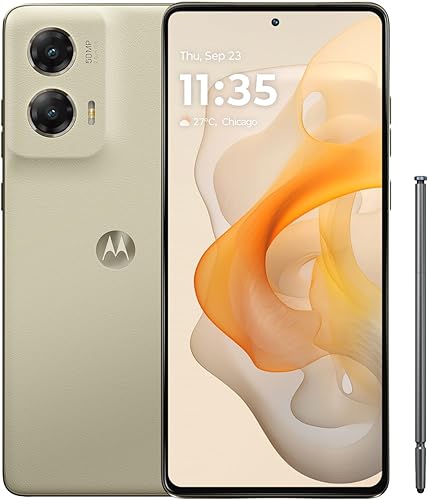
Moto G Stylus 2024: choose it for handwritten reminders
Moto G Stylus 2024
- Built-in stylus
- 6.7-inch pOLED display
- 50MP camera with OIS
- 30W TurboPower charging
Choose it for handwritten lists, sketches and photo edits after Verizon approves the exact device. Its pOLED screen and stabilized camera add value beyond the pen.
Pros
- Built-in stylus for notes and sketches
- Optical image stabilization
- Wireless charging support
Cons
- Verizon compatibility needs confirmation
- Less built-in storage than the 2025 Stylus
Choose the Moto G Stylus 2024 if you prefer writing a shopping list or marking a photo to typing every detail. Its built-in pen gives you a tool for those jobs without carrying a separate stylus.
The 6.7-inch pOLED screen also makes it worth considering beyond note taking. Its 50MP camera includes optical image stabilization, which helps reduce the effect of small hand movements while taking photos or recording video.
It combines 8GB of physical RAM with 128GB of storage, plus wireless charging and up to 30W wired charging. RAM Boost uses internal storage as virtual memory, so it does not add more physical RAM.
Skip this model if you rarely use a pen or already struggle with a crowded app collection. The 2025 Stylus offers more internal room, and Motorola explicitly names Verizon compatibility for that newer option.
For this 2024 model, get Verizon approval before buying. Its higher score reflects its feature mix, not a promise that every device will activate on your line.
Moto G Power 2025: choose it for a charging-pad routine
Moto G Power 2025
- Motorola names Verizon compatibility
- 6.8-inch display, up to 120Hz
- Wireless charging
- 50MP camera with OIS
A strong choice for a charging-pad routine and large-screen reading. Motorola names Verizon compatibility, and expandable storage gives downloaded media room to grow.
Pros
- Verizon named as compatible
- Wireless charging
- Expandable media storage
Cons
- Large body needs a pocket-fit check
- Maximum wired charging speed requires a compatible charger sold separately
Choose the Moto G Power 2025 if you want to place your phone on a charging pad at a desk or bedside. Wireless charging is useful when topping up in the same spot is easier than plugging in a cable.
Its 6.8-inch display is the largest here, with refresh rates up to 120Hz for supported content. The 2388 x 1080 resolution also gives it more pixels than the HD+ regular Moto G options.
The camera includes OIS, and the phone has 8GB of physical RAM. Its 128GB internal storage can be supplemented with a microSD card up to 1TB for compatible files and media.
Skip it if your main concern is easy one-handed use. A broad display can make reading more comfortable while putting upper corners farther from your thumb, so check pocket fit and grip before committing.
Motorola names Verizon among its compatible carriers. For maximum 30W wired charging, you'll need a suitable Motorola TurboPower charger, sold separately; a higher-powered charger won't raise the phone's limit.
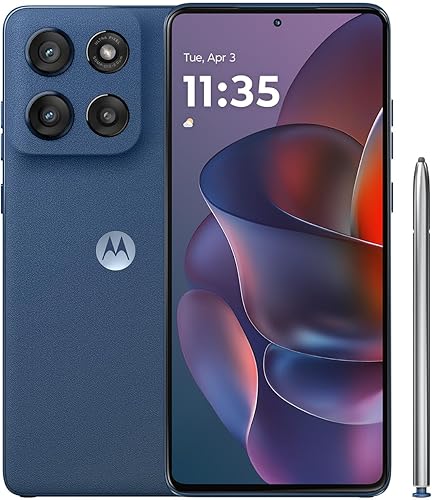
Moto G Stylus 2025: choose it for frequent pen use
Moto G Stylus 2025
- Motorola names Verizon compatibility
- Built-in stylus
- 6.7-inch Super HD pOLED display
- 256GB storage
The stronger fit for pen users who keep plenty of apps and files on their phone. It combines more internal storage with Motorola-stated Verizon compatibility.
Pros
- Built-in stylus
- 256GB internal storage
- IP68 water resistance
Cons
- 68W charging requires a separate compatible charger
- Water resistance does not allow underwater use
Choose the Moto G Stylus 2025 if handwritten notes are part of your daily routine and you want more space for apps and saved files. Its 256GB internal storage gives it twice the built-in capacity of the 2024 Stylus here.
The 6.7-inch Super HD pOLED screen has a 2712 x 1220 resolution. That makes this a sensible option for reading small text, reviewing images and making detailed pen edits.
Motorola names Verizon compatibility and includes a built-in stylus. Its IP68 protection has limits: resistance can decline with wear, and the phone should not be used underwater or charged while wet.
Up to 68W TurboPower charging is available with the required Motorola charger, sold separately. Motorola's short-charge battery claim also depends on conditions, including a substantially depleted battery and charge boost being on.
Skip it if the pen would stay tucked away and your files already fit comfortably on a smaller-capacity phone. Choose it for the storage and writing workflow rather than simply because it is newer.
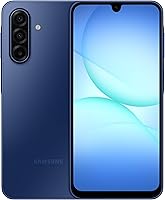
Galaxy A17 5G: choose it for planned long-term use
Galaxy A17 5G

- 6.7-inch FHD+ Super AMOLED display
- 6 OS upgrades and 6 years of security updates from global manufacture
- microSD support up to 2TB
Samsung's stated update commitment makes this worth considering if you keep phones for years. Confirm Verizon support for the exact device before choosing it.
Pros
- Defined software support commitment
- Expandable storage
- Super AMOLED display
Cons
- Verizon compatibility needs confirmation
- 25W charger sold separately
Choose the Galaxy A17 5G if you plan to keep your next phone for years and want a defined software commitment. Samsung promises 6 OS upgrades and 6 years of security updates from global manufacture, not from your purchase date.
Its 6.7-inch FHD+ Super AMOLED display suits reading, photos and video. The phone has 128GB of internal storage and supports microSD expansion up to 2TB, with the card sold separately.
That expansion is useful for a growing photo archive, but it does not make internal storage irrelevant. Apps and system files still need room, so leave space for updates and new downloads.
IP54 protection covers limited dust exposure and fresh-water splashes. It does not make the phone suitable for pool or beach use, and the 25W charger is a separate purchase.
Skip it if you need a built-in pen. Also confirm Verizon approval for this exact US device before choosing it, since Samsung's support commitment does not establish carrier compatibility.
Moto g 2026: choose it for casual entertainment
Moto g 2026

- Motorola names Verizon compatibility
- 6.7-inch HD+ display, up to 120Hz
- 5,200mAh typical battery capacity
- Stereo speakers
A practical option for casual video, music and messaging when screen sharpness is a lower priority. Its battery has the largest stated capacity in this group.
Pros
- Verizon named as compatible
- Stereo speakers with Dolby Atmos
- Largest stated battery capacity here
Cons
- HD+ screen has fewer pixels than several alternatives
- 4GB physical RAM; RAM Boost uses storage
Choose the Moto g 2026 for messages, casual video and music when you don't need a sharper screen or pen. Motorola names Verizon compatibility, and stereo speakers with Dolby Atmos suit listening without headphones.
Its 5,200mAh typical battery capacity is the largest stated capacity here. That gives you a useful comparison point, but screen brightness, signal strength and app use still determine how long a charge lasts.
The 6.7-inch HD+ display supports up to 120Hz. Smooth scrolling and image detail are separate qualities, so don't mistake the refresh rate for the sharper resolution offered by several higher-ranked picks.
This phone has 4GB of physical RAM and 128GB of storage. RAM Boost borrows storage space, so advertised combined memory figures should not be read as physical RAM.
Skip it if you keep many demanding apps open or spend much of your time reading fine text. Confirm whether a charger is included before ordering; maximum 30W charging requires suitable equipment.
Moto G 2025: choose it for downloaded media
Moto G 2025

- Motorola names Verizon compatibility
- 6.7-inch HD+ display, up to 120Hz
- microSD support up to 1TB
- Stereo speakers
A sensible choice for everyday apps and a separate collection of downloaded media. Its memory card slot helps with files, while internal storage remains important for apps.
Pros
- Verizon named as compatible
- Expandable storage for media
- 3.5mm headphone jack
Cons
- Lower-resolution HD+ display
- Water-repellent design does not support submersion
Choose the Moto G 2025 if your routine centers on everyday apps, downloaded music and videos. Motorola names Verizon compatibility, and microSD support up to 1TB lets you keep compatible media outside its 128GB internal storage.
The 6.7-inch HD+ screen supports refresh rates up to 120Hz. Stereo speakers and a 3.5mm headphone jack give you options for listening at home or through wired headphones.
Its 4GB physical RAM makes a modest app routine the better fit. If you often switch among maps, video calls and several other apps, consider the 8GB Motorola options above.
The 50MP Quad Pixel camera combines pixels for an effective 12.5MP photo resolution. Don't choose it solely by the large megapixel number, especially if camera stabilization is a priority.
Skip it for sharper text or water-heavy activities. Its water-repellent design covers moderate fresh-water splashes and light rain, with no protection intended for submersion.
Moto G Play 2024: choose it for a short app list
Moto G Play 2024
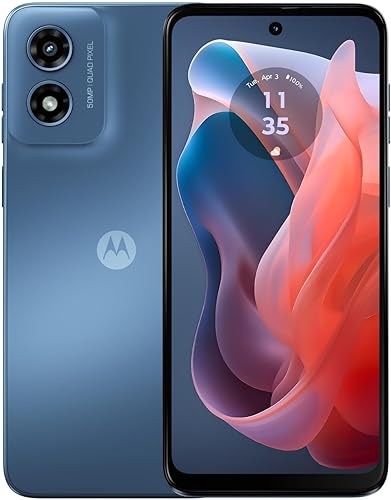
- 4G phone
- 6.5-inch HD+ display, up to 90Hz
- 64GB internal storage
- microSD support up to 1TB
Consider it for calls, messages and a short app list after Verizon approves the exact device. Skip it if you need 5G or room for a large app collection.
Pros
- Expandable media storage
- Stereo speakers
- 5,000mAh battery
Cons
- 4G only
- Smallest internal storage capacity here
Choose the Moto G Play 2024 only if calls, messages and a few familiar apps cover your needs. It is the only 4G-only phone here, so Verizon approval and suitable local service are essential.
The Snapdragon 680 processor is paired with 4GB of RAM. Its 6.5-inch HD+ display supports up to 90Hz, and stereo speakers provide another way to hear media without headphones.
Its 64GB internal storage is the tightest fit in this group. A microSD card up to 1TB can help with compatible photos and media, but it won't turn this into a roomy phone for a large app collection.
The battery capacity is 5,000mAh, and the body has splash protection. Treat that as protection against occasional accidents, not permission to rinse or submerge the phone.
Skip it if you want 5G, store large games or expect your app needs to grow. For those buyers, starting with a roomier 5G option avoids an obvious limit.
How we compared unlocked phones for Verizon
We compared carrier support statements and useful hardware differences, then matched each phone to a clear buyer. A pen, more internal storage or wireless charging matters only if it solves something in your daily routine.
The scores run from highest to lowest, but compatibility is a pass-or-fail requirement. An approved lower-ranked phone is a better purchase than a higher-ranked device your line cannot use.
The table helps separate similar names. Pay particular attention to the model year, internal storage and network description before comparing smaller extras.
| Product | Best for | Network | Display | Storage | Our score |
|---|---|---|---|---|---|
| Moto G Stylus 2024 | handwritten reminders | Unlocked, made for US; confirm Verizon compatibility | 6.7-inch pOLED | 128GB | 8.4 |
| Moto G Power 2025 | bedside charging | Unlocked; Motorola names Verizon compatibility | 6.8-inch, up to 120Hz | 128GB; microSD support up to 1TB | 8.3 |
| Moto G Stylus 2025 | frequent note takers | Unlocked; Motorola names Verizon compatibility | 6.7-inch Super HD pOLED | 256GB | 8.1 |
| Galaxy A17 5G | long-term planners | Unlocked; confirm Verizon compatibility | 6.7-inch FHD+ Super AMOLED | 128GB; expandable up to 2TB | 8.0 |
| Moto g 2026 | everyday streaming | Unlocked; Motorola names Verizon compatibility | 6.7-inch HD+, up to 120Hz | 128GB | 7.8 |
| Moto G 2025 | offline media | Unlocked; Motorola names Verizon compatibility | 6.7-inch HD+, up to 120Hz | 128GB; microSD support up to 1TB | 7.7 |
| Moto G Play 2024 | light phone use | Unlocked 4G; confirm Verizon compatibility | 6.5-inch HD+, up to 90Hz | 64GB; microSD support up to 1TB | 6.9 |
What to check before choosing a Verizon phone
Get the exact device approved first, then check coverage, plan features and activation options. An unlocked label means the phone is free of a carrier lock; it does not establish every part of Verizon support.
Is this exact unlocked phone supported by Verizon?
Use the full model number to identify the version, then check its IMEI when available. The IMEI identifies the individual device, which matters when several regional versions share a familiar name.
Start with Verizon's bring-your-own-device page, and ask Verizon about anything the result leaves unclear. Keep a record of the device details and approval before transferring service.
The Verizon compatibility guide explains the checks in more detail. If you plan to bring your current device, first check whether it is unlocked.
Avoid substituting another regional version because it looks identical. Our guide to US and international phone versions explains why the exact version matters.
Does the phone support the service you need?
Check calls and data first, then ask about Wi-Fi calling, hotspot use and any other feature you rely on. Basic network compatibility does not answer every feature question for your account.
Local coverage matters separately from phone approval. Ask about the places you use most, such as home, work and regular travel routes, rather than choosing from a 5G logo alone.
A 5G phone also needs suitable service and coverage to use 5G. Choose the Play only if its 4G limit fits your needs.
Do you want a physical SIM or eSIM?
Confirm the activation method for the exact phone and your Verizon line before setup. Do not infer eSIM support from a dual-SIM feature or assume your old physical SIM is the right activation route.
Our guide to SIM cards and eSIM in unlocked phones explains the choices. If you're comparing carriers, see our advice on using an unlocked phone on T-Mobile.
Which screen, storage and charging features matter most?
Choose for your daily tasks, with storage and handling ahead of small feature differences. A phone that fits your apps and feels manageable is more useful than one selected from a single headline number.
Match screen detail to how you read
A higher refresh rate can make supported motion look smoother, while higher resolution adds image detail. If you read long articles, examine documents or enlarge photos, give resolution real weight.
Most choices here have large screens. If you are buying for a parent, check text size, button size and grip together rather than assuming a bigger panel automatically makes the phone easier to use.
Separate app storage from media storage
Internal storage holds the operating system, apps and other files, so usable space is lower than the advertised capacity. Leave room for updates instead of planning to fill it immediately.
Memory cards are useful for compatible photos, music and video. App movement and protected downloads can be restricted, so choose enough internal storage for the apps you expect to keep.
Physical RAM is a separate resource. RAM Boost uses storage as virtual memory and should not be treated as equivalent to the same amount of physical RAM.
Buy the charger for the phone
Match the required charging standard and cable, not just the wattage printed on an adapter. A higher wattage ceiling alone does not ensure the phone will reach its supported speed.
Charging slows as the battery fills, so a short-charge claim does not describe a full charge from empty. Buy for the routine you need, such as overnight charging or a brief top-up before leaving.
How do you set up an unlocked phone on Verizon?
Back up the old phone and confirm activation instructions before moving service. Keep the old device available until calls, messages, data and account access work on the replacement.
- Prepare account access. Have your Google login, Verizon account details and any required transfer information ready.
- Back up essential files. Check contacts, photos and messages rather than assuming every item is included.
- Connect to trusted Wi-Fi. Complete initial setup and install available system updates.
- Follow Verizon's activation route. Use the approved physical SIM or eSIM process for your line.
- Check everyday functions. Make and receive a call, exchange messages and load a page with Wi-Fi off.
- Restore sensitive apps. Confirm banking access, authenticator transfers and recovery methods before erasing the old phone.
If you're moving a number from another carrier, keep that line active until the transfer is complete. Save voicemail you need beforehand, since moving a number does not necessarily move saved messages.
For more help with the device itself, follow our guide to using an unlocked phone for the first time.
Which mistakes should you avoid after activation?
Check the connection before changing settings, and protect the phone from heat and moisture. A few careful habits can prevent setup trouble and unnecessary wear.
Don't confuse Wi-Fi access with cellular service
A phone can browse over home Wi-Fi while its mobile connection still needs attention. Turn Wi-Fi off briefly to check data, then confirm that both incoming and outgoing calls work.
If service fails, review activation with Verizon before changing network settings at random. Keep the IMEI handy, but don't share it publicly.
Don't treat water resistance as waterproofing
Use a case that fits the exact model year and leaves ports, cameras and any stylus opening clear. Similar names do not guarantee that cases or screen protectors fit.
Dry a wet phone before charging, and avoid leaving it in direct sun or a hot parked car. Protection ratings have limits, and normal wear can reduce resistance.
Don't let clutter consume your storage
Remove unused apps and review large downloads regularly. Back up important files before deleting them, and keep a second copy of anything you cannot replace.
If battery drain suddenly increases, check app battery use and signal conditions before assuming the battery is failing. Heavy background activity and weak reception can change daily endurance.
Which unlocked phone for Verizon should you pick?
Choose the Moto G Stylus 2024 after Verizon approval if handwritten reminders are your main reason to buy. Choose the Power 2025 for a large screen and charging-pad convenience, or the Stylus 2025 for frequent pen use and more internal room.
The Galaxy A17 5G suits long-term planners who value Samsung's update commitment. The regular Moto G models fit simpler entertainment and app routines, while the Play should be reserved for light use where approved 4G service is enough.
Before paying for an unlocked phone for Verizon, use our Verizon compatibility guide to finish the device check. Then choose the phone whose storage, handling and charging routine fit how you'll actually use it.
Our top 3 picks at a glance
-
1
-
2
-
3
Frequently asked questions
What should I check before buying an unlocked phone for Verizon?
Check Verizon approval for the exact device first, then confirm the SIM method and features your line needs. Ask about calls, mobile data, Wi-Fi calling and hotspot access where relevant.
A model number helps identify the version, while an IMEI identifies the individual phone for a carrier check.
Do all unlocked phones work with Verizon?
No. An unlocked phone can still lack the network support or carrier approval needed for Verizon service.
A familiar model name is not enough because regional versions can differ.
Our guide to whether an unlocked phone works with Verizon explains how to check the exact device before moving your number.
Can I use an unlocked phone on Verizon with eSIM?
Yes, if the exact phone supports eSIM and Verizon accepts it for your line. Do not assume every phone in this roundup offers that option, or that a dual-SIM label means eSIM.
Our guide to SIM cards and eSIM on unlocked phones explains the differences before activation.
How do I check if my current phone is unlocked?
Ask the carrier that sold the phone to confirm its lock status, and check the phone's SIM or network settings where available. Verizon compatibility is a separate check.
Follow our steps for checking whether your phone is unlocked before deciding whether you need a replacement.