6 Best Cheap Unlocked Phones (October 2026)
The best cheap unlocked phones include the Moto G Stylus 2024 for everyday note takers, the Moto G Power 2025 for desk charging routines, and the Galaxy A17 5G for keeping phones longer.
On this page (12 sections)
- Which is the best cheap unlocked phone for your routine?
- Moto G Stylus 2024: choose it for handwritten reminders
- Moto G Power 2025: choose it for flexible charging
- Galaxy A17 5G: choose it for a longer replacement cycle
- Moto g 2026: choose it for a straightforward daily routine
- Moto G 2025: choose it for stored music and photos
- Moto G Play 2024: choose it for light use
- What should you check before buying a cheap unlocked phone?
- How should you set up your new unlocked phone?
- How can you keep a budget phone useful for longer?
- Which buying mistakes should you avoid?
- Which best cheap unlocked phone fits your final shortlist?
The Moto G Stylus 2024 is our pick for the best cheap unlocked phone if you'll use a pen for notes, sketches or photo edits. Choose the Moto G Power 2025 for wireless charging, or the Galaxy A17 5G for a longer software support commitment.
Start with your carrier, then choose the features you'll use each day. Our guide to unlocked Android phones explains the basics, including why an unlocked phone still needs a network compatibility check.
Our picks at a glance
-
1
-
2

-
3

Which is the best cheap unlocked phone for your routine?
The Moto G Stylus 2024 leads for its combination of a built-in pen, screen quality and camera stabilization. The other picks make sense when charging habits, software support or light use matter more to you.
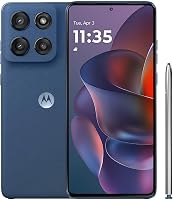
Moto G Stylus 2024
- Built-in stylus
- 6.7 in pOLED display
- 50MP camera with OIS
- 128GB storage
Choose this phone if handwritten reminders, sketches and photo edits are part of your routine. The pOLED screen and camera stabilization also give it appeal beyond the pen.
Pros
- Built-in stylus for notes and sketches
- Camera includes optical image stabilization
- 30W TurboPower charging
Cons
- Large screen may feel awkward in one hand
- Buy for the pen only if you'll use it
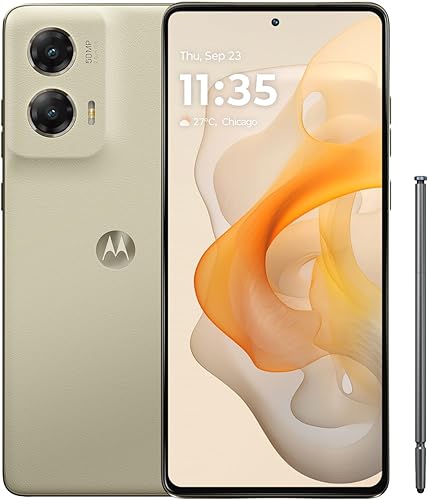
Moto G Power 2025
- 6.8 in display with up to 120Hz refresh rate
- 5000mAh battery
- Wireless charging
- 8GB physical RAM
A useful choice if you want to set your phone on a wireless charger at your desk. Its large screen, camera stabilization and expandable storage also suit daily entertainment.
Pros
- Compatible with major U.S. carriers
- 50MP camera with OIS
- Expandable storage up to 1TB
Cons
- Compatible 30W charger sold separately
- Large body deserves a pocket-fit check
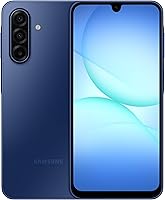
Galaxy A17 5G
- 6.7 in Super AMOLED display
- 128GB storage
- Expandable storage up to 2TB
- Samsung promises 6 OS upgrades and 6 years of security updates from global manufacture
Samsung's stated software support makes this the clearest fit for buyers planning a longer replacement cycle. Check the remaining support period because it starts at global manufacture.
Pros
- Super AMOLED display
- Expandable storage up to 2TB
- Clear software support commitment
Cons
- 25W charger sold separately
- IP54 protection does not cover beach or pool use
Moto g 2026

- 6.7 in display with up to 120Hz refresh rate
- 5200mAh typical battery capacity
- 5G
- 4GB physical RAM and 128GB storage
A fit for calls, messages and streaming if you accept an HD+ screen. Choose it for that everyday mix rather than expecting RAM Boost to replace physical memory.
Pros
- Compatible with major U.S. carriers
- Stereo speakers with Dolby Atmos
- Expandable memory
Cons
- HD+ screen has less detail than higher-resolution options
- RAM Boost takes space from internal storage
Moto G 2025

- 6.7 in LCD with up to 120Hz refresh rate
- 5000mAh battery
- 5G
- Expandable storage up to 1TB
Consider this phone for downloaded music, photos and other files you can keep on a microSD card. It suits a straightforward routine better than demanding multitasking.
Pros
- MicroSD expansion for media
- Stereo speakers with Bass Boost
- Water-repellent design
Cons
- HD+ resolution limits fine screen detail
- Water-repellent does not mean waterproof
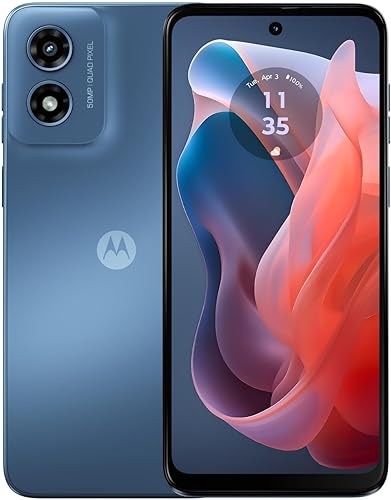
Moto G Play 2024
- 4G LTE
- 6.5 in HD+ display with up to 90Hz refresh rate
- 64GB storage
- Expandable storage up to 1TB
A basic option for calls, messaging and a small app collection when your carrier supports it. Its smaller internal capacity calls for more attention to downloads and free space.
Pros
- MicroSD expansion for media
- 5000mAh battery
- Stereo speakers
Cons
- No 5G support
- 64GB internal storage leaves less room for apps
NeighborlyNod compared carrier support, physical memory, storage, display features and charging options. The order favors useful everyday features, while the write-ups explain when a lower-ranked phone fits your needs better.
| Product | Best for | Display | Storage | Camera | Our score |
|---|---|---|---|---|---|
| Moto G Stylus 2024 | everyday note takers | 6.7 in pOLED | 128GB | 50MP with OIS | 8.4 |
| Moto G Power 2025 | desk charging routines | 6.8 in, up to 120Hz | 128GB, expandable up to 1TB | 8.3 | |
| Galaxy A17 5G | keeping phones longer | 6.7 in Super AMOLED | 128GB, expandable up to 2TB | 8.0 | |
| Moto g 2026 | calls and streaming | 6.7 in HD+, up to 120Hz | 128GB | 7.8 | |
| Moto G 2025 | offline media libraries | 6.7 in LCD, up to 120Hz | 128GB, expandable up to 1TB | 7.7 | |
| Moto G Play 2024 | light phone users | 6.5 in HD+, up to 90Hz | 64GB, expandable up to 1TB | 6.9 |
Moto G Stylus 2024: choose it for handwritten reminders
Choose the Moto G Stylus 2024 if you regularly jot shopping lists, mark up pictures or sketch ideas. Skip it if you prefer typing and have no clear use for a pen.
Moto G Stylus 2024
- Built-in stylus
- 6.7 in pOLED display
- 50MP camera with OIS
- 128GB storage
Choose this phone if handwritten reminders, sketches and photo edits are part of your routine. The pOLED screen and camera stabilization also give it appeal beyond the pen.
Pros
- Built-in stylus for notes and sketches
- Camera includes optical image stabilization
- 30W TurboPower charging
Cons
- Large screen may feel awkward in one hand
- Buy for the pen only if you'll use it
The built-in stylus gives this phone a purpose beyond calls and scrolling. Think about a task you'd use it for each week, such as writing a quick reminder or adding arrows to a photo before sending it.
Its 6.7 in pOLED screen and Dolby Atmos sound also suit reading and video. The 50MP camera includes optical image stabilization, which helps reduce blur from small hand movements but cannot hold a moving subject still.
You get 8GB of physical RAM and 128GB of storage, a useful combination for everyday apps and saved content. Keep handwritten notes backed up if you rely on them for work, appointments or household plans.
Motorola says its battery can last over a day, with actual results depending on use and signal conditions. The phone supports 30W TurboPower charging, so match your charging accessories to the phone rather than buying by connector shape alone.
Moto G Power 2025: choose it for flexible charging
Choose the Moto G Power 2025 if a large screen and wireless charging fit your daily routine. Skip it if a phone that is easy to pocket or use with one hand is your first priority.
Moto G Power 2025
- 6.8 in display with up to 120Hz refresh rate
- 5000mAh battery
- Wireless charging
- 8GB physical RAM
A useful choice if you want to set your phone on a wireless charger at your desk. Its large screen, camera stabilization and expandable storage also suit daily entertainment.
Pros
- Compatible with major U.S. carriers
- 50MP camera with OIS
- Expandable storage up to 1TB
Cons
- Compatible 30W charger sold separately
- Large body deserves a pocket-fit check
Wireless charging makes sense when you keep a charging pad on a desk or bedside table. It gives you a way to top up during the day without connecting a cable each time.
The 6.8 in screen supports a refresh rate up to 120Hz, and stereo speakers include Bass Boost. That combination suits watching shows and scrolling, though refresh rate can vary with settings and content.
Its 8GB of physical RAM gives you more memory headroom than the 4GB models below. Built-in storage can expand with a separate microSD card, which is useful for media rather than a replacement for internal app space.
The camera includes OIS, making this an alternative to the Stylus for buyers who want stabilization without a pen. For maximum wired charging speed, you'll need a compatible 30W TurboPower charger, sold separately.
Motorola states compatibility with major U.S. carriers. Confirm the exact model during activation planning, especially if you're moving to a prepaid service.
Galaxy A17 5G: choose it for a longer replacement cycle
Choose the Galaxy A17 5G if you want to keep your phone for several years. Skip it if that support commitment matters less to you than the Stylus's pen or the Power's wireless charging.
Galaxy A17 5G
- 6.7 in Super AMOLED display
- 128GB storage
- Expandable storage up to 2TB
- Samsung promises 6 OS upgrades and 6 years of security updates from global manufacture
Samsung's stated software support makes this the clearest fit for buyers planning a longer replacement cycle. Check the remaining support period because it starts at global manufacture.
Pros
- Super AMOLED display
- Expandable storage up to 2TB
- Clear software support commitment
Cons
- 25W charger sold separately
- IP54 protection does not cover beach or pool use
Samsung promises 6 OS upgrades and 6 years of security updates from global manufacture. That starting point matters: buying later does not restart the support clock.
The 6.7 in Super AMOLED display makes this a screen-focused alternative to the Motorola picks. Its triple-lens camera offers different shooting options, while expandable storage supports a separate microSD card up to 2TB.
Choose card capacity around the files you actually keep. A large card is useful for a growing media collection, but it won't make every app or system file movable.
The phone's IP54 protection covers fresh-water splashes and limited dust exposure. Keep it away from pools and beaches, and don't treat water resistance as permission to wash it.
Samsung's compatible 25W charger is sold separately. If you're replacing an older phone, check your existing charger's compatibility before assuming you'll get the supported charging speed.
Moto g 2026: choose it for a straightforward daily routine
Choose the Moto g 2026 for calls, messages and streaming when battery capacity matters more than fine screen detail. Skip it if you often read small text, edit pictures or keep many demanding apps open.
Moto g 2026
- 6.7 in display with up to 120Hz refresh rate
- 5200mAh typical battery capacity
- 5G
- 4GB physical RAM and 128GB storage
A fit for calls, messages and streaming if you accept an HD+ screen. Choose it for that everyday mix rather than expecting RAM Boost to replace physical memory.
Pros
- Compatible with major U.S. carriers
- Stereo speakers with Dolby Atmos
- Expandable memory
Cons
- HD+ screen has less detail than higher-resolution options
- RAM Boost takes space from internal storage
Its 5200mAh typical battery capacity is the largest in this group. That gives it a reason to make your shortlist, but battery size alone cannot establish which phone will last longest in your routine.
The 6.7 in HD+ screen reaches up to 120Hz. Scrolling can look smoother at higher refresh rates, while the lower resolution remains a separate trade-off for text and image detail.
The phone pairs a MediaTek Dimensity 6300 processor with 4GB of physical RAM. RAM Boost uses storage as virtual memory, so don't read the expanded memory figure as the same amount of physical RAM.
Stereo speakers with Dolby Atmos suit casual video watching. Motorola states support for major U.S. carriers, including prepaid carriers, but your plan and coverage still determine access to 5G.
Pick it for that practical mix rather than the newer model year alone. Compare the screen and memory trade-offs with the features you use most.
Moto G 2025: choose it for stored music and photos
Choose the Moto G 2025 if you keep media on your phone and want microSD expansion. Skip it if your main concern is sharper text or frequent switching among demanding apps.
Moto G 2025
- 6.7 in LCD with up to 120Hz refresh rate
- 5000mAh battery
- 5G
- Expandable storage up to 1TB
Consider this phone for downloaded music, photos and other files you can keep on a microSD card. It suits a straightforward routine better than demanding multitasking.
Pros
- MicroSD expansion for media
- Stereo speakers with Bass Boost
- Water-repellent design
Cons
- HD+ resolution limits fine screen detail
- Water-repellent does not mean waterproof
Its 128GB internal storage can be supplemented with a separate card up to 1TB. That suits downloaded music, photos and supported video downloads, subject to each app's storage rules.
The 6.7 in LCD has HD+ resolution and a refresh rate up to 120Hz. It fits casual scrolling and entertainment, but buyers who notice fine text detail should weigh the higher-resolution options above.
This model has 4GB of physical RAM, with RAM Boost taking space from internal storage. Keep room for app updates and temporary files rather than planning to fill the phone to capacity.
Motorola's water-repellent design is intended for moderate fresh-water exposure, such as spills or light rain. It is not waterproof, and that protection can diminish over time.
Buy it when its combination of 5G and media storage meets your needs. Expansion alone doesn't make it the automatic choice, since several other picks also accept memory cards.
Moto G Play 2024: choose it for light use
Choose the Moto G Play 2024 for calls, messages and a modest app collection on a compatible 4G network. Skip it if you want 5G or already struggle with a nearly full phone.
Moto G Play 2024
- 4G LTE
- 6.5 in HD+ display with up to 90Hz refresh rate
- 64GB storage
- Expandable storage up to 1TB
A basic option for calls, messaging and a small app collection when your carrier supports it. Its smaller internal capacity calls for more attention to downloads and free space.
Pros
- MicroSD expansion for media
- 5000mAh battery
- Stereo speakers
Cons
- No 5G support
- 64GB internal storage leaves less room for apps
The Snapdragon 680 processor and 4GB of RAM suit a basic shopping brief. Think occasional browsing, messaging and a few everyday services rather than choosing it for demanding games or heavy multitasking.
Its 6.5 in HD+ display supports up to 90Hz, and stereo speakers add value for casual listening. This is the smallest screen in the group, though you should still check physical size before expecting easy one-handed use.
The main buying limit is 64GB of internal storage. A separate microSD card can hold supported media, but the operating system, apps and other files still need space inside the phone.
Choose it only after checking your current storage use. If you're already close to this capacity, moving to the Play could mean deleting content as soon as you finish setup.
Its 4G LTE connection can serve light users where the carrier supports it. Confirm model acceptance rather than assuming an existing SIM will settle every activation requirement.
What should you check before buying a cheap unlocked phone?
Check carrier acceptance first, then storage, memory, screen comfort and charging accessories. A phone that misses one essential need can become an expensive mistake even if the rest of its features look appealing.
Check the network before choosing a cheap unlocked phone
An unlocked phone has no carrier lock, but the carrier must still accept the exact model. Lock status, network support and activation approval are separate checks.
Our guide on how to check whether your phone is unlocked covers the lock-status step. For a new phone, ask your carrier to confirm the model and use its IMEI compatibility tool when an IMEI is available.
For network-specific help, read our guide to unlocked phones for Verizon, T-Mobile setup guide or explanation of whether unlocked phones work with AT&T.
Don't assume support for a parent network guarantees acceptance by every prepaid provider using it. Confirm calling, messaging, mobile data and any features you rely on, such as Wi-Fi calling or hotspot service.
Buy storage for apps, not just photos
Use your current phone's storage breakdown as your starting point. Separate apps and system files from photos, videos and downloads that could move elsewhere.
A microSD card helps with supported media, but it does not add physical RAM or automatically create more internal app space. Some apps keep downloads internally, and content restrictions can prevent moving certain files.
Leave room for updates and temporary files. If you already delete apps to make space, choose more internal capacity rather than expecting a memory card to solve the same problem.
Read physical RAM separately from RAM Boost
Compare physical RAM first when judging memory. Virtual memory borrows storage and should not be counted as equivalent hardware.
For a routine built around one app at a time, lower memory may be an acceptable trade-off. If you often move between maps, a browser, chat and work apps, prioritize more physical memory.
A long feature list cannot promise fast performance in every app. Match the phone to your workload instead of treating the largest combined memory figure as the winner.
Choose screen detail and comfort before refresh rate
Prioritize readable text and comfortable size before chasing the highest refresh rate. Resolution affects detail, while refresh rate affects how motion and scrolling appear.
Higher refresh settings can use more power, and apps do not always run at the screen's maximum rate. If battery life matters more than scrolling smoothness, use a lower refresh setting when available.
Also think about grip, pockets and where you watch videos. A larger screen can help with recipes and maps while making thumb typing and carrying the phone less convenient.
Look beyond the camera's megapixel number
Choose camera features around what you photograph. Stabilization helps with hand movement, while a still subject and good light remain useful on any phone.
Several cameras here combine 4 sensor pixels into 1, producing photos below the headline sensor resolution. A higher megapixel figure alone is not a reason to expect better family photos.
For children, pets or indoor snapshots, use available light and take several frames. Avoid heavy digital zoom when you can safely move closer, and wipe the lens before important pictures.
Include accessories and support in the decision
Plan for a compatible charger, protective case and any memory card you need. A USB cable in the box does not mean a wall charger is included.
A higher-wattage charger cannot force a phone past its charging limit. Check the supported charging standard as well as wattage, and replace damaged cables.
For a phone you'll keep for years, check the remaining security support period and warranty terms. Our guide to buying an unlocked phone that works in the US helps you check the exact version before ordering.
How should you set up your new unlocked phone?
Back up your old phone and keep your existing service active until the new phone can call, message and use mobile data. A careful transfer prevents a cheap replacement from creating account-access problems.
Prepare your accounts before moving the SIM
Confirm your main account password, recovery email and screen-lock code before starting. If you use an authenticator app, follow its transfer process and save recovery codes somewhere secure.
Check photo and contact backups rather than assuming they're complete. Open a few recent items in the backup destination so you know the files you need are there.
Activate service and check essential features
Follow your carrier's process for a physical SIM or eSIM, without assuming every phone supports both. If you're moving your number to another carrier, let the new carrier guide the transfer.
With Wi-Fi turned off, make a call, send a message and load a web page. Check voicemail and any service features you depend on before putting the old phone away.
Our guide to using an unlocked phone for the first time walks through activation and the first setup steps.
Install updates and move only what you need
Connect to Wi-Fi, install available system and app updates, then set up a strong screen lock. Enable the phone's device-finding feature and review account recovery options.
Bring over the apps you still use instead of copying every old download. This matters most on models with less internal storage, where unused apps take room needed for future updates.
Increase text size if needed, adjust notification permissions and place essential apps where they're easy to reach. For a family member, make sure they can answer calls and find contacts before adding extra features.
How can you keep a budget phone useful for longer?
Protect it from heat, damage and full storage, then keep its software current. These habits help preserve everyday usefulness without buying extra features you don't need.
Keep the phone out of a hot parked car and away from direct sun while charging. Use compatible charging equipment and follow the phone's temperature warnings.
Fit a case suited to the exact model, and keep the charging port dry and clear of debris. Don't push metal objects into the port or connect a cable while moisture remains.
Review large downloads and unused apps when space gets tight. Back up photos before deleting them, and check that a backup is separate from a folder that mirrors deletions.
Treat water protection as a margin for accidents. Splash resistance does not make swimming, shower use or rinsing the phone a sensible care routine.
Which buying mistakes should you avoid?
Avoid buying by model year, battery size or one headline spec. The better phone is the one that meets your carrier, app and daily-use needs together.
- Choosing before checking compatibility: An attractive feature set is useless if your carrier won't activate the exact model.
- Counting virtual memory as physical RAM: Compare the hardware memory first, then consider RAM Boost separately.
- Expecting a card to fix every storage limit: Apps and system files still need internal room.
- Paying for an unused feature: A stylus or wireless charger only helps if it fits your routine.
- Assuming unlocked means service is included: You'll still need a suitable plan and activation.
- Erasing the old phone too soon: Confirm backups, account access and service before wiping it.
Which best cheap unlocked phone fits your final shortlist?
Choose the Moto G Stylus 2024 if handwritten notes or photo markup are part of your week. Choose the Moto G Power 2025 if wireless charging and a large screen fit how you use a phone.
The Galaxy A17 5G is the clearest choice here for a longer replacement plan, provided its remaining support window suits you. Pick the Moto g 2026 or Moto G 2025 when their simpler feature mix meets your needs, and reserve the Play for light use.
Before deciding on the best cheap unlocked phone for you, write down 3 requirements: your carrier, your current storage use and the feature you'd miss most. Remove any phone that fails one of those checks.
For alternatives beyond this shortlist, compare our best budget Android phones.
Related guides: Budget Android phones, unlocked vs locked phones and best unlocked phones for T-Mobile.
Our top 3 picks at a glance
-
1
-
2
-
3
Frequently asked questions
What is the best cheap unlocked phone?
The Moto G Stylus 2024 is our top choice for buyers who will use its pen for notes, sketches or photo edits. Choose the Moto G Power 2025 for wireless charging, or the Galaxy A17 5G for Samsung's software support commitment; confirm carrier compatibility before making your final choice.
Will a cheap unlocked phone work with my carrier?
Yes, if your carrier accepts the exact model and it supports the needed network features; an unlocked status removes a carrier restriction, but it does not establish network compatibility. Use your carrier's compatibility checker, confirm activation requirements and check SIM or eSIM support before moving your number.
Is a cheap unlocked phone better than a carrier phone?
An unlocked phone suits buyers who want more freedom to compare service plans and change carriers; a carrier phone may suit a particular offer, but you need to check its payment terms and restrictions. Our unlocked vs locked phone guide explains the differences that matter before you commit.
Do cheap unlocked phones support 5G?
All picks here except the Moto G Play 2024 support 5G; the Play uses 4G LTE, which can still suit calls, messaging and everyday data use where supported. A 5G-capable phone also needs a compatible service plan and local coverage, so check both before choosing based on that feature.