7 Best Android Phones Under $300 (October 2026)
The best Android phones under 300 dollars include the Moto G Stylus 2024 for everyday note-takers, the Moto G Power 2025 for frequent video watchers, and the Moto G Stylus 2025 for notes and downloads.
On this page (7 sections)
- Which Android phone under 300 dollars fits your needs?
- The best Android phones under 300 dollars
- How do you choose the best phone under 300?
- What should you do before and after moving to a new phone?
- How can you keep a budget phone useful for longer?
- Which buying mistakes should you avoid?
- Which phone under 300 dollars should you pick?
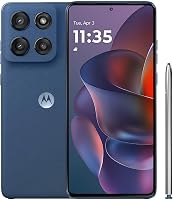
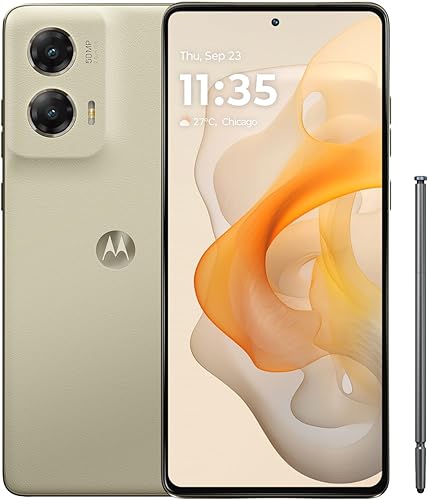
The Moto G Stylus 2024 is our top pick for the best phone under 300, with a built-in pen, pOLED screen and optical image stabilization for its camera. Choose it if you want one phone for reminders, photos, messages and evening video.
The strongest alternative depends on what you'll use daily: a larger screen, more internal storage or a clear software support commitment. Confirm that the exact version fits your budget and carrier before you order.
Our picks at a glance
-
1
-
2

-
3
Which Android phone under 300 dollars fits your needs?
Choose the Stylus 2024 for mixed everyday use, the Power 2025 for watching video or the Galaxy A17 5G for keeping a phone longer. The Stylus 2025 makes more sense when notes and a large app collection share the same device.
NeighborlyNod compared the phones by their screens, physical memory, storage, camera features and practical extras. A higher place in the ranking does not make a phone the right choice for every buyer.
Start with your current phone's biggest problem. Running out of app space calls for more internal storage; struggling to read text calls for a screen and font-size check.
| Product | Best for | Display | Storage | Camera | Our score |
|---|---|---|---|---|---|
| Moto G Stylus 2024 | everyday note-takers | 6.7 in pOLED | 128GB | 50MP with OIS | 8.4 |
| Moto G Power 2025 | frequent video watchers | 6.8 in, up to 120Hz | 128GB, microSD support up to 1TB | 50MP with OIS | 8.3 |
| Moto G Stylus 2025 | notes and downloads | 6.7 in Super HD pOLED | 256GB | Sony LYTIA camera system | 8.1 |
| Galaxy A17 5G | long-term phone keepers | 6.7 in FHD+ Super AMOLED | 128GB, microSD support up to 2TB | 8.0 | |
| Moto g 2026 | everyday streaming | 6.7 in HD+, up to 120Hz | 50MP main sensor, 32MP selfie sensor | 7.8 | |
| Moto G 2025 | offline music listeners | 6.7 in HD+ LCD, up to 120Hz | 128GB, microSD support up to 1TB | 50MP main sensor, 16MP front camera | 7.7 |
| Moto G Play 2024 | light daily use | 6.5 in HD+, up to 90Hz | 64GB, microSD support up to 1TB | 6.9 |
The best Android phones under 300 dollars
The Moto G Stylus 2024 leads this group, but each pick below serves a different daily routine. Read the reasons to choose or skip each one before deciding which tradeoff you can live with.
Moto G Stylus 2024
- Built-in stylus
- 6.7 in pOLED display
- 50MP camera with OIS
- 128GB storage
A useful choice for people who jot reminders, mark up photos and watch video on the same phone. The built-in pen and stabilized camera give it clear everyday uses.
Pros
- Pen stores in the phone
- Optical image stabilization
- pOLED display and stereo speakers
Cons
- Less built-in storage than the 2025 Stylus
- RAM Boost takes space from internal storage
Choose the Moto G Stylus 2024 if you actually want to write on your phone. Its pen suits quick shopping lists, rough sketches and marking a detail in a photo without covering it with your finger.
The 6.7 in pOLED screen and Dolby Atmos audio also make it a useful entertainment phone. Its 50MP camera includes optical image stabilization, which Motorola says helps reduce blur from camera movement in low light and video.
You get 8GB of physical RAM and 128GB of storage in this version. That makes it a sensible starting point for someone who uses several apps but does not need to keep a large video collection offline.
Skip it if the pen will stay in its slot and your main goal is the largest viewing area. Also compare the 2025 Stylus if your current phone is already close to filling the same amount of internal storage.
When you set it up, give the pen a regular job, such as your grocery list or daily reminders. Save notes somewhere you can back up, since keeping the pen in the phone does not protect the files from loss.
Moto G Power 2025
- 6.8 in display, up to 120Hz
- 5000mAh battery
- 50MP camera with OIS
- Expandable storage up to 1TB
The largest screen in this group suits shows, recipes and video calls. Wireless charging and removable storage also help if your phone doubles as your main media device.
Pros
- Largest display in this group
- Wireless charging support
- Expandable media storage
Cons
- Large body needs a pocket and grip check
- Compatible 30W charger sold separately
Choose the Moto G Power 2025 if your phone is where you watch shows, follow recipes or make video calls. Its 6.8 in screen is the largest here, with a refresh rate up to 120Hz for smoother scrolling.
Stereo speakers with Bass Boost support that media focus. The phone also pairs a 50MP OIS camera with 128GB of internal storage and support for a microSD card up to 1TB.
Wireless charging is useful if you prefer setting the phone on a charging pad at your desk. Maximum wired charging is 30W with a compatible TurboPower charger, which is sold separately.
Skip it if pocket fit or one-handed reach matters more than screen area. A larger display gives content more room, but you still need to reach the keyboard and hold the phone securely with a case fitted.
Its 8GB of physical RAM makes it worth comparing with the regular Moto G models if you switch among several apps. For network planning, read whether an unlocked phone works with Verizon and confirm your exact model with the carrier.
Moto G Stylus 2025
- Built-in stylus
- 6.7 in Super HD pOLED display
- 256GB storage
- IP68 water resistance
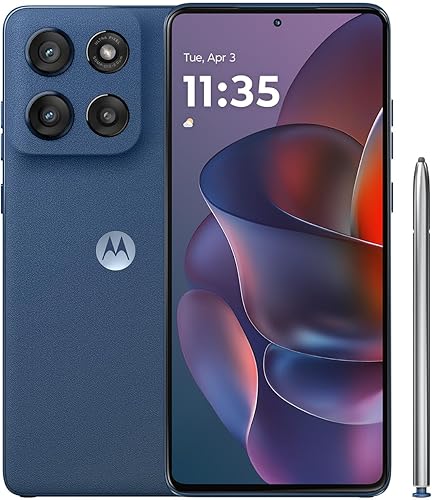
Choose this stylus model if you keep many apps, photos and offline files. Its extra built-in storage is useful when a memory card cannot hold what you need.
Pros
- Built-in pen
- Most internal storage in this group
- Super HD pOLED display
Cons
- Compatible 68W charger sold separately
- Water resistance has exposure limits and decreases with wear
Choose the Moto G Stylus 2025 if you want a pen and more room for apps. Its 256GB internal capacity is double that of the 2024 version here, helping with files that cannot simply move to a memory card.
The 6.7 in Super HD pOLED display has a 2712 x 1220 resolution. It suits readers who want finer text and image detail alongside note-taking, rather than choosing a screen mainly for its refresh rate.
Motorola gives this model an IP68 water-resistance designation, with limits of 1.5 m of fresh water for 30 minutes. Resistance decreases with wear, and the phone is not designed to operate underwater.
Maximum 68W TurboPower charging requires a compatible charger sold separately. Motorola's day-of-power claim from 15 minutes also depends on a substantially depleted battery, charge boost being on and usage conditions.
Skip it if you seldom use a pen and already keep most files elsewhere. For more context on the stylus range, read our Moto G Stylus review and keep the model year in mind when comparing versions.
Galaxy A17 5G

- 6.7 in Super AMOLED display
- 6 OS upgrades and 6 years of security updates from global manufacture date
- Expandable storage up to 2TB
- IP54 splash and dust resistance
Samsung's stated software support makes this the clearest choice for readers planning to keep their phone for years. Check the support period remaining because it starts at global manufacture.
Pros
- Clear software support commitment
- FHD+ Super AMOLED display
- Expandable storage
Cons
- Support clock starts before purchase
- 25W charger sold separately
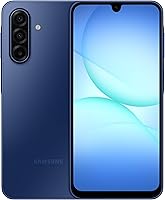
Choose the Galaxy A17 5G if you plan to keep your next phone for years. Samsung commits to 6 OS upgrades and 6 years of security updates from the date of global manufacture, rather than from your purchase date.
That support period is a stronger reason to choose it than the age of the model name alone. Ask how much of the support window remains if you're buying older stock.
Its 6.7 in FHD+ Super AMOLED display suits reading and video, while the triple-lens camera offers different framing options. The phone has 128GB internally and supports microSD expansion up to 2TB for compatible files.
The IP54 protection is for splashes and limited dust exposure, and Samsung advises against beach or pool use. A compatible 25W charger and memory card are separate purchases.
Skip it if a built-in pen is central to your routine. Read our Samsung Galaxy A17 review if you're weighing its software support against the Motorola choices, and remember that updates do not prevent battery wear or accidental damage.
Moto g 2026

- 6.7 in display, up to 120Hz
- 5200mAh typical battery capacity
- 50MP camera system
- Stereo speakers with Dolby Atmos
A media-focused choice for readers who value smooth scrolling and stereo sound more than fine screen detail. Its lower-resolution display and 4GB physical RAM are the main tradeoffs.
Pros
- Fast-refresh display
- Largest typical battery capacity in this group
- Stereo speakers with Dolby Atmos
Cons
- HD+ screen has less detail than higher-resolution choices
- 4GB physical RAM; RAM Boost uses storage
Choose the Moto g 2026 for streaming, messages and everyday scrolling if fine screen detail is a lower priority. Its 6.7 in display reaches up to 120Hz, and Motorola describes it as bright enough for outdoor viewing.
The tradeoff is HD+ resolution at 1604 x 720. Smooth movement and sharp text are different qualities, so a fast refresh rate does not make this screen equal in detail to the higher-resolution choices.
This version has 4GB of physical RAM and 128GB of storage. RAM Boost can use storage as virtual memory, but it does not turn that configuration into one with the same amount of physical RAM.
The 5200mAh typical battery capacity is the largest here, though capacity alone cannot tell you which phone lasts longest. Screen settings, signal strength and your apps all affect the time between charges.
Skip it if you often switch among demanding apps or read small text for long periods. Its newer model year is not a reason to overlook the memory and display tradeoffs compared with the higher-ranked picks.
Moto G 2025

- 6.7 in display, up to 120Hz
- 5000mAh battery
- 50MP camera system
- microSD support up to 1TB
Removable storage and a headphone jack suit people who carry a music library rather than stream everything. Choose it for those practical features rather than high screen resolution.
Pros
- microSD expansion
- 3.5 mm headphone jack
- Stereo speakers
Cons
- HD+ LCD display
- Water-repellent design is not for submersion
Choose the Moto G 2025 if you want offline music and removable file storage without making display detail your top priority. A 3.5 mm headphone jack also lets you use compatible wired headphones without a separate adapter.
The phone combines 128GB internally with microSD support up to 1TB. Use the extra space for supported media and documents while keeping room inside the phone for apps and updates.
Its 6.7 in HD+ LCD supports up to 120Hz, and stereo speakers add another listening option. The 50MP main camera uses pixel combining to produce an effective photo resolution of 12.5MP.
With 4GB of physical RAM, this is better suited to a modest app routine than to someone who keeps many demanding tasks active. Skip it if sharper reading text or heavier multitasking is your main reason for replacing a phone.
The water-repellent design is for moderate fresh-water exposure, not submersion. Our best budget Android phones guide can help if you're still deciding which everyday features deserve priority.
Moto G Play 2024
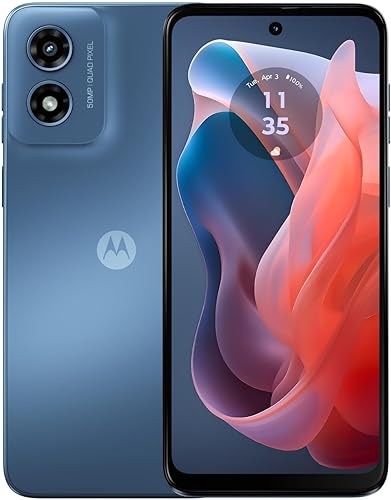
- 6.5 in HD+ display, up to 90Hz
- 5000mAh battery
- 64GB storage
- microSD support up to 1TB
A basic option for calls, messages and a small app collection on a compatible 4G network. Its limited internal storage calls for more care with downloads and large apps.
Pros
- Expandable file storage
- Stereo speakers
- Smallest screen in this group
Cons
- No 5G support
- Smallest internal storage capacity in this group
Choose the Moto G Play 2024 for calls, messages and a small app collection on a compatible 4G LTE network. It's the basic option here, rather than the choice for someone trying to fit every possible feature into the budget.
Its Snapdragon 680 processor and 4GB of RAM support that role. The 6.5 in HD+ screen reaches up to 90Hz, with stereo speakers for listening without headphones.
The main limit is 64GB of internal storage, part of which the system and software already use. MicroSD support up to 1TB helps with files, but it does not remove the need to manage app space.
Skip it if you want 5G, download large games or already struggle with a nearly full phone. The other picks give you more internal room before you need to sort through apps and downloads.
For a spare phone or a light daily routine, its simpler limits may be acceptable. Check carrier acceptance first and install only what you'll use, rather than copying every old app onto it.
How do you choose the best phone under 300?
Choose by carrier fit, app needs and screen comfort first, then decide which extras earn their place. A pen, extra camera lens or newer model year should solve a real need rather than distract from those basics.
Which screen makes sense for a phone under 300?
Choose higher resolution for detailed text and images, and a higher refresh rate for smoother motion. These qualities help in different ways, especially if you read long pages rather than mainly scroll short feeds.
OLED and AMOLED screens can show deep blacks because individual pixels can turn off. Still, display type alone does not establish outdoor visibility, color accuracy or comfort for your eyes.
Check text size and keyboard reach as well as diagonal size. A large screen can show bigger text, but increasing the font size also reduces how much content fits at once.
How much memory and storage should you buy?
Favor more physical RAM for switching apps and more internal storage for keeping them installed. RAM and storage solve different problems, even when marketing puts both numbers close together.
Before choosing, look at your current phone's storage screen. Check how much space apps, photos and downloaded video use, then leave room for that collection to grow.
A memory card works well for supported photos, music and documents. Some apps and protected downloads must stay internally, so do not choose a small internal capacity on the assumption that a card fixes everything.
RAM Boost also draws from internal space. Leave its setting alone initially, then review it if storage becomes tight rather than treating the largest virtual-memory number as a buying advantage.
Is 5G more important than carrier compatibility?
Carrier compatibility comes first because a 5G label does not guarantee activation or every network feature. Confirm the exact US model through your carrier's compatibility process, including an IMEI check when available.
Coverage matters where you actually spend time, especially at home and work. A phone with access to a newer network cannot create a strong signal in a poorly covered room.
Our guide to unlocked Android phones explains the wider buying process. If Verizon is your choice, compare our unlocked phones for Verizon before moving service.
Which camera features deserve attention?
Prioritize stabilization and the kind of photos you take over the largest megapixel number. Optical image stabilization helps address camera movement; it cannot make a moving child or pet hold still.
For indoor photos, add light where possible and keep the phone steady. Avoid strong digital zoom when you can move closer safely, and wipe fingerprints from the lens before blaming the camera.
A front camera matters more if video calls and selfies fill your day. Extra rear lenses matter only if their framing options suit the photos you actually take.
How should you compare battery and charging claims?
Treat battery capacity as one part of the decision, not a ranking of real runtime. Brightness, mobile signal, video use and background apps can change how quickly a phone drains.
Check the charger requirements before buying accessories. A charger with a higher wattage does not force the phone to charge above its supported maximum, and the cable must also suit the charging setup.
Fast charging usually slows as the battery fills. Plan around a useful top-up rather than expecting the maximum speed to continue from an empty battery to a full one.
What should you do before and after moving to a new phone?
Back up your old phone and confirm service before erasing it. Keep both devices available until your calls, messages, photos and key accounts work on the replacement.
Prepare your accounts before transferring
Check that you know your main account password and can complete its sign-in checks. Move any authenticator app according to its own transfer process, since a general phone backup may not carry every login.
Back up photos and confirm that you can open them from another device or your backup service. Save any important files stored only in a downloads folder or on a memory card.
If you're bringing a phone from a carrier, check how to tell if your phone is unlocked. That check answers a different question from whether the replacement supports your carrier.
Confirm the basics before adding every app
Follow the carrier's activation steps, then check outgoing calls, incoming calls, text messages and mobile data with Wi-Fi turned off. Check voicemail and any calling features you rely on before retiring the old device.
Install available system and app updates, then set a screen lock and recovery options. For a fuller walkthrough, use our first-time setup guide for an unlocked phone.
Bring back your essential apps first and sign in to each one. This is also a chance to leave behind unused games, duplicate photo tools and apps that send constant alerts.
Set the screen and storage for your routine
Adjust font size, display size and keyboard settings before deciding the screen is difficult to use. A few changes can make messages and app controls easier to read without installing extra software.
Set download limits in music and video apps so offline files do not grow unchecked. If you add a memory card, confirm where new photos and supported downloads are saved.
How can you keep a budget phone useful for longer?
Control heat, protect the phone and keep your files backed up. These habits help preserve its usefulness even when your needs grow or the battery begins to age.
Keep the phone out of a parked car and away from direct sun while charging. If it becomes unusually hot during a demanding task, stop that task and let it cool.
Use a case that fits the exact model and leaves ports, speakers and any pen slot accessible. A water-resistant design still needs care, and a wet phone should dry before charging.
Clean the screen with a soft cloth and keep grit away from the charging port. Do not push metal tools into the port or force a connector that will not seat properly.
Review storage and battery use in settings when a problem appears. Removing an unused download or identifying one busy app is more useful than repeatedly installing cleanup tools.
Keep security updates enabled and maintain a backup you can recover. A memory card adds capacity, but a card that stays inside a lost phone does not protect your files.
Which buying mistakes should you avoid?
Avoid choosing by model year, headline memory or camera numbers alone. Those shortcuts can hide the limits you'll notice every day.
- Ignoring the exact version: Confirm the model year, internal storage and US carrier support. Similar names can cover different devices.
- Spending the whole budget on the handset: Leave room for any charger, case or memory card you actually need.
- Confusing smoothness with detail: A fast-refresh screen can still have lower resolution.
- Treating virtual memory as physical RAM: RAM Boost uses storage and does not erase the difference between hardware configurations.
- Overbuying removable storage: Check what can move to a card before buying one for an app-space problem.
- Expecting water protection to cover every accident: Fresh-water limits do not make a phone suitable for swimming, salt water or charging while wet.
- Erasing the old phone too early: Confirm account access and file transfers before resetting it.
If two choices remain, write down the one feature you would miss most. That gives you a clearer decision than counting every feature in the comparison table equally.
Which phone under 300 dollars should you pick?
Choose the Moto G Stylus 2024 if you'll use its pen regularly, or the Moto G Power 2025 if watching and reading on a larger screen matters more. Choose the Stylus 2025 when extra internal space is a firm requirement alongside the pen.
The Galaxy A17 5G makes the clearest case for a long ownership plan because Samsung states its software support commitment. Check how much of that period remains, then confirm that its other features fit your routine.
The regular Moto G choices suit lighter app use and media, while the Play is for someone comfortable with 4G and tighter internal space. Skip those compromises if they are the same problems you're replacing your current phone to solve.
The best phone under 300 is the one that fixes your main problem while fitting your carrier and full setup budget. For another shortlist centered on buying outside a carrier, browse our best cheap unlocked phones.
Our top 3 picks at a glance
-
1
-
2
-
3
Frequently asked questions
What is the best phone under 300 dollars?
The Moto G Stylus 2024 is our top pick if it fits your budget and carrier; its built-in pen, pOLED screen and stabilized camera suit mixed everyday use. Choose the Galaxy A17 5G for Samsung's software support, or the Moto G Power 2025 if a larger screen matters more.
Is a phone under 300 dollars good enough for everyday use?
Yes, a budget phone can cover calls, messages, maps, browsing and streaming; match its memory and storage to your habits rather than choosing by model year alone. People who switch between many apps should favor more physical RAM, while frequent downloaders should leave enough internal space for apps and updates.
Should I choose 5G or 4G in a budget phone?
Choose 5G if your carrier supports it where you use the phone and you want access to that service; a compatible 4G phone can still handle calls, messages and streaming. The Moto G Play 2024 is the only 4G-only choice here, so skip it if 5G is a requirement.
How much phone storage do I need?
For a main phone, 128GB is a sensible starting point if you use several apps and keep photos or downloads; choose more internal space for large app collections and offline video. A microSD card helps with supported files, but it cannot replace internal storage for every app or system task.
Are unlocked phones compatible with every carrier?
No, carrier freedom does not guarantee that every network will accept the phone or support all its features; confirm the exact model through your carrier's compatibility process before transferring service. Our guide to unlocked Android phones explains how network support and activation affect your choice.