Unlocked Phone vs Carrier Phone: Which Should You Buy? (October 2026)
In an unlocked phone vs carrier phone comparison, choose unlocked for switching freedom or a carrier phone for buying and account help through your provider. Check the exact model's network compatibility and payment terms before buying either.
On this page (10 sections)
- Unlocked phone vs carrier phone: what is the difference?
- Which option gives you more carrier flexibility?
- When does a carrier phone make more sense?
- When should you buy an unlocked phone?
- Which unlocked phone fits your daily use?
- Does unlocked mean you can use any SIM or eSIM?
- How do you set up the phone without losing service?
- What mistakes should you avoid before buying?
- How should you care for the phone after setup?
- Which should you buy: unlocked or carrier?
Choose an unlocked phone for carrier choice, or a carrier phone if you prefer buying and getting account help through your wireless provider. The unlocked phone vs carrier decision comes down to network fit, payment terms and how soon you might switch service.
Buying unlocked does not mean buying a service plan, and buying through a carrier does not always mean the phone stays locked. Check the device's current restrictions separately from how you pay for it.
Start with the network you need, then choose a phone and purchase agreement that fit your habits. A convenient payment plan won't help if coverage is poor where you use the phone most.


Unlocked phone vs carrier phone: what is the difference?
An unlocked phone has no carrier restriction, while a carrier phone is one sold through a wireless provider. A carrier-sold phone may be locked or unlocked, so these categories can overlap.
A lock is a software restriction that prevents use with another provider's service. Removing that restriction does not change the phone's hardware or add support for missing network bands.
Buying a phone separately also leaves you responsible for choosing service and arranging activation. You can still use a compatible unlocked phone with a major carrier rather than a smaller provider.
If the term is new, read what an unlocked phone means. Our comparison of unlocked vs locked phones explains the restriction itself in more detail.
Does an unlocked phone vs carrier phone change reception?
Neither purchase route guarantees better reception because coverage and the exact phone's network support matter more. Compare versions of the device, not just where you buy it.
Different versions within one phone family can support different networks or features. An international version also deserves a separate compatibility check even when its name matches a U.S. model.
Call quality, mobile data and features such as Wi-Fi calling need the right combination of device, carrier and plan. Ask about those features if you depend on them at home or work.
Which option gives you more carrier flexibility?
An unlocked phone gives you more freedom to change compatible providers without first meeting carrier lock conditions. That freedom is useful when coverage changes, a household moves or a different plan better fits your usage.
It also helps if you prefer to keep a phone while shopping for service separately. You can compare plans without making a new device purchase part of every decision.
For travel, an unlocked phone may accept a compatible local SIM or eSIM. Check destination coverage and supported SIM types first, and remember that using a second service does not cancel charges on your home account.
Carrier restrictions are only one possible barrier to switching. An unpaid device balance, account requirements or the terms of a promotion may still affect the move.
How do you check whether a phone will work?
Check the full model number and carrier compatibility before ordering. When the device's IMEI is available, use the intended carrier's compatibility checker for that individual phone.
Then confirm activation support for your plan, including voice calls and the SIM method you need. Don't treat a 5G label as proof that every service feature will work.
If you're bringing a phone you already have, first follow our guide to checking whether a phone is unlocked. For that network specifically, see how to check an unlocked phone for Verizon compatibility.
When does a carrier phone make more sense?
A carrier phone makes sense when you want the device purchase and service account handled together and expect to stay with that provider. It can suit someone who values available store help with activation or account questions.
Ask what help is included before relying on it. Support for the carrier's service may differ from help with transferring photos, recovering passwords or learning unfamiliar apps.
Look beyond the amount due today when comparing payment offers. Read the full device obligation, required service plan, trade-in conditions and any credits spread across future bills.
A promotion may become less useful if it requires a plan you wouldn't otherwise choose. Ask what happens to both the remaining device balance and future credits if you leave early.
Skip a locked carrier phone if you expect to switch soon or need another provider's SIM right away. Also skip an agreement whose payment or lock conditions you cannot clearly explain before signing.
When should you buy an unlocked phone?
Buy unlocked if you want to choose service separately, keep a device across compatible networks or avoid waiting for carrier lock eligibility. It suits buyers willing to check compatibility and handle activation with their chosen provider.
Buying unlocked won't automatically reduce your service bill. Compare the plan you will actually use, any activation charges and the accessories you need alongside the device.
It may be less convenient if you need someone to handle the whole setup in person and no suitable help is available. Confirm that support before buying for someone who cannot manage account access or transfers alone.
Our guide to buying an unlocked phone that works in the U.S. walks through version and network checks. Complete those checks before choosing among the phones below.
Which unlocked phone fits your daily use?
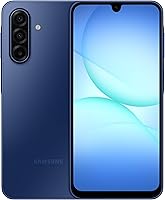
Choose the Moto G Power for multitasking, the Galaxy A17 for its stated support commitment or the Moto G for everyday essentials. These are unlocked options, so they help you choose a device after deciding how to buy service.
Moto G Power 2025: for several apps and flexible charging
The Moto G Power 2025 suits someone who moves between messaging, maps, browsing and entertainment. Its 8GB of physical RAM, compared with 4GB in the Moto G, gives it more memory headroom for that pattern.
Wireless charging is another reason to choose it if you want a charging pad on a desk or bedside table. Its camera includes optical image stabilization, a useful distinction for buyers who care about reducing camera shake.
Skip it if a smaller phone is a priority. The large screen is useful for reading and video, but consider pocket fit and one-handed reach before choosing it.
Galaxy A17 5G: for keeping a phone longer
The Galaxy A17 5G suits buyers who value a stated software support period. Samsung promises 6 OS upgrades and 6 years of security updates from global manufacture, so the clock does not start when you buy it.
Check how much of that support period remains, especially when buying older stock. A longer commitment matters most if you plan to keep using the same phone rather than replace it soon.
Its expandable storage supports cards up to 2TB, sold separately, for a large local photo or video collection. Skip it if you need a small handset or protection for swimming, since its IP54 protection covers splashes rather than submersion.
Moto G 2025: for calls, maps and casual entertainment
The Moto G 2025 suits calls, messages, maps and casual media use. Its 3.5mm headphone jack is useful if you want to keep using wired headphones without a USB adapter.
It has 128GB of built-in storage and accepts a microSD card up to 1TB, sold separately. Cards help with compatible files, but they do not replace a backup or guarantee that every app can move off internal storage.
Skip it if you frequently switch among demanding apps and want more physical memory. RAM Boost uses internal storage as virtual memory, so its expanded figure should not be read as the same amount of physical RAM.
Does unlocked mean you can use any SIM or eSIM?
No, unlocked status does not guarantee SIM or eSIM support for your intended service. The phone must support the network, the SIM method and the carrier's activation process.
For a physical SIM, confirm the required card size and whether your existing SIM can be reused. Never force a card or tray if it does not fit correctly.
For eSIM, check support for the exact phone version with your provider. Transferring apps and photos does not necessarily transfer the mobile service profile.
Don't assume the 3 phones above all support the same SIM arrangements. Our guide to SIM cards and eSIM on unlocked phones explains what to check before choosing a plan.
How do you set up the phone without losing service?
Back up the old phone and prepare your account access first, then activate the replacement before erasing anything. Keep Wi-Fi available so you can download updates and complete transfers without relying on mobile service.
Use this order to avoid unnecessary interruptions:
- Back up important files. Confirm photos, contacts and documents are saved somewhere you can access.
- Prepare sign-ins. Have your Google account password, carrier credentials and access to recovery methods ready.
- Choose transfer or number porting. Replacing a phone on the same account differs from moving a number to a new provider.
- Activate the correct SIM. Follow the carrier's process for a physical SIM or eSIM rather than guessing.
- Verify service. Check incoming and outgoing calls, messages and mobile data with Wi-Fi turned off.
- Check key apps. Confirm access to banking, email and authenticator apps before clearing the old phone.
If you're moving your number, ask the new provider what transfer details it needs. Keep the old service active until the number transfer finishes rather than canceling it yourself first.
For a more detailed walkthrough, follow our guide to using an unlocked phone for the first time. Save enough time for account recovery or activation help instead of starting just before travel.
What mistakes should you avoid before buying?
Avoid confusing lock status with compatibility, overlooking agreement terms or assuming all versions of a phone are identical. These mistakes can leave you with a usable device that does not suit your service.
Use this final check before ordering:
- Exact version: Match the full model to your carrier's requirements.
- Coverage: Check the places where you need service, including indoor use.
- Lock conditions: Confirm current status and any steps needed to remove restrictions.
- Full obligation: Include required plans, remaining installments and promotion conditions.
- Setup needs: Confirm SIM support, account access and available help.
- Return terms: Allow time to activate the phone and identify service problems.
Don't mistake advertised virtual memory for physical RAM or assume a higher camera megapixel count settles photo quality. Choose the features that match your daily tasks.
Network-specific setup can also differ. Read our instructions for using an unlocked phone on T-Mobile or check whether unlocked phones work with AT&T if either is your intended provider.
How should you care for the phone after setup?
Use compatible charging equipment, regular backups and software updates to keep the phone useful over time. Carrier freedom won't protect files from loss or prevent damage.
The 2 Motorola phones support up to 30W TurboPower charging with the required charger, sold separately. The Samsung's 25W charger is also separate, so check your existing charger's compatibility before adding another accessory.
Keep the charging port clean and dry, and replace worn cables. Avoid leaving the phone charging in direct sun or another place where heat builds up.
Treat water protection as a precaution rather than a reason to expose the phone to water. The Moto G's water-repellent design is not waterproof, and Samsung advises against beach or pool use for the A17.
Use a screen lock, install available security updates and keep recovery details current. Before switching service later, repeat the compatibility check rather than assuming an unlocked phone will fit every future provider.
Which should you buy: unlocked or carrier?
For the unlocked phone vs carrier decision, choose unlocked if switching freedom matters and you can confirm network fit. Choose a carrier phone if you expect to stay and its purchase terms and available support suit you.
If both paths meet those needs, compare the full device and service obligation over the same period. A smaller initial payment should not outweigh an unsuitable plan or restrictions that conflict with your next move.
Among these unlocked choices, pick the Moto G Power for more physical memory and wireless charging, the Galaxy A17 for its support commitment or the Moto G for everyday essentials. For more model choices, use our complete guide to unlocked Android phones after confirming your network requirements.
Frequently asked questions
Is an unlocked phone better than a carrier phone?
An unlocked phone is better for choosing among compatible providers and switching later. A carrier phone suits buyers who want the device and service handled through one provider, but compare payment terms, any required plan and lock conditions before committing to either buying route.
Can I use an unlocked phone with any carrier?
No, an unlocked phone still needs to support the carrier's network and activation requirements. Check the exact model, then use the carrier's device compatibility check when an IMEI is available; also confirm the calling, messaging, hotspot and SIM features you need on your intended plan.
Does a carrier phone have to stay locked?
A carrier phone may become eligible for unlocking once the provider's conditions are met. Ask about the requirements for that exact device and account, including payment and service conditions, before buying; paying off a phone and removing its carrier restriction can involve separate steps.
Will an unlocked phone work with Verizon, AT&T or T-Mobile?
It can, provided the exact version supports the chosen network and meets activation requirements. Motorola states that the Moto G Power 2025 and Moto G 2025 support major U.S. carriers, including Verizon, AT&T and T-Mobile; confirm your intended plan and required features before moving service.
Can I move my SIM card to an unlocked phone?
You can often move a compatible physical SIM, though your carrier may require activation or an account change. For eSIM, follow the provider's transfer process rather than assuming it moves with your files; keep your old phone available until calls, messages and mobile data work.